Ultimate List of Business Expenses You Can Automate Today
Updated 2026 guide for Canadian teams: The Ultimate List of Business Expenses You Can Automate Today, with workflows for cards, AP, receipts and QuickBooks.

Trusted by 10,000+ Canadian businesses
Business banking for Canada
Local CAD and USD accounts, corporate cards with cashback, the lowest FX rates in Canada, free local transfers, and more.
The Ultimate List of Business Expenses You Can Automate Today
Updated June 2026
Introduction
Many Canadian founders, operators, and finance teams understand their business expense categories well. The real problem is execution. Payments get approved over email. Receipts pile up in inboxes. Reimbursements sit in spreadsheets waiting for month-end. Accounting updates happen manually, days after the fact. The result is a fragmented process that costs time, creates errors, and makes cash flow visibility harder than it needs to be.
The opportunity to automate business expenses is significant, but not every expense deserves the same approach. The strongest candidates share common traits: they recur on a predictable schedule, require multiple approvers, involve high transaction volume, get submitted by employees, span multiple currencies, or consistently create reconciliation headaches. These are the categories where automation delivers the clearest operational return.
This guide walks through the full list of business expenses worth automating, explains why each category creates friction when managed manually, and outlines the tools and workflows that address each one.
What Counts As A Business Expense You Can Automate?
An automatable business expense is any cost where payment, approval, documentation, receipt capture, categorization, reconciliation, reporting, or accounting sync can happen with minimal manual intervention. The focus here is operational, not tax-driven.
Recurring software subscriptions, vendor invoices, payroll runs, and employee reimbursements all qualify because each involves predictable steps that a system can handle more reliably than a spreadsheet or inbox. Automation does not mean hands-off entirely. It means the workflow moves forward without someone manually triggering each step.
Deductibility and tax treatment depend on the nature of each expense and how it connects to your business operations. Canadian businesses should confirm the tax treatment of specific expenses with a qualified advisor rather than relying on automation categories as a guide to what qualifies for deduction.
Why Automating Business Expenses Matters
Manual expense management quietly drains time that founders and finance teams cannot afford to lose. Chasing receipts, manually entering vendor invoices, and reconciling credit card statements at month-end creates friction at every level of the business.
Automating business expenses removes that friction in measurable ways. Recurring payments go out on time, eliminating late fees and duplicate charges. Cash flow visibility improves because transactions are categorized and recorded as they happen, not weeks later. Month-end close shrinks from days to hours when your accounting software already holds clean, matched data.
For growing Canadian small businesses, the operational benefits extend further. Automated approval workflows enforce spending policies without requiring a manager to manually review every purchase. Employee reimbursement cycles shorten when corporate cards replace out-of-pocket spending, reducing the back-and-forth that frustrates both staff and finance teams. And when your expense management infrastructure scales with transaction volume rather than headcount, you avoid hiring additional admin staff just to keep up with growth.
Strong expense automation also supports better operating discipline. When every dollar is categorized, documented, and synced to your accounting system in real time, your financial reporting reflects reality rather than a best guess assembled under deadline pressure.
The Ultimate List Of Business Expenses You Can Automate Today
Most Canadian businesses already know their expense categories. The real problem is that knowing them and managing them efficiently are two very different things. Subscriptions renew without review, receipts pile up in inboxes, vendor invoices wait on someone's desk, and month-end reconciliation becomes a scramble.
This guide takes a different approach. Rather than simply defining common business expenses, each category below is examined through an operational lens: what the expense is, why manual handling creates friction, how automation addresses that friction, and which type of tool typically supports the workflow.
The categories cover the full range of recurring business expenses that growing Canadian companies encounter, from software subscriptions and payroll to travel expenses, marketing spend, and international supplier payments. Expense tracking, expense categorization, and expense management are all addressed within each category, so readers can connect the concept directly to a practical next step.
If your business handles any of these operating expenses manually today, there is a good chance at least one workflow on this list is ready to automate right now.
Software And SaaS Subscriptions
Canadian businesses in 2026 typically run accounting software, CRM platforms, project management tools, AI assistants, design suites, cybersecurity tools, and communication apps simultaneously. Each carries its own billing cycle, renewal date, and receipt. That volume creates subscription sprawl: duplicate tools serving the same function, forgotten renewals quietly charging each month, receipts scattered across inboxes, and no clear owner when a charge appears on the statement.
Automating these software expenses starts with assigning a dedicated virtual card to SaaS vendors. This creates a clean separation between subscription spend and other operating costs, and makes merchant-level tagging straightforward inside your accounting software. Pair that with spend limits and renewal alerts so your team catches upcoming charges before they process. Approval rules add a second layer of control for higher-cost tools or new vendor onboarding.
Accounting sync pulls categorized transactions directly into QuickBooks or Xero, eliminating manual entry at month-end. That said, recurring merchants should not be treated as fully hands-off. A quarterly review of active subscriptions catches redundant tools, unused licences, and price increases before they compound into a meaningful cost problem.
Utilities, Internet, Phone, And Recurring Office Overhead
Internet service, mobile plans, electricity, cloud storage, printing services, office cleaning, and mail services all share one useful trait: they bill on a predictable schedule. That predictability makes them strong candidates for autopay and recurring billing rules inside your business account or accounting software.
Setting up category-level rules means these charges flow directly into the correct expense category without manual sorting at month-end. That visibility also makes it easier to spot billing errors, unexpected price increases, or services your team no longer uses.
Automation handles the payment reliably, but it does not replace periodic review. Recurring business expenses like these should be audited at least quarterly. Providers raise rates quietly, contracts renew automatically, and duplicate services accumulate over time. A connected bill payment workflow paired with accounting categorization keeps overhead organized and gives your finance team a clear picture of fixed operating costs without the manual cleanup.
Rent, Coworking, And Facility Costs
Office rent, coworking memberships, equipment leases, storage units, and recurring maintenance contracts share one useful trait: they follow a predictable schedule. That predictability makes them strong candidates for payment automation. Setting up scheduled payments with approval checkpoints ensures nothing slips through at month-end, and storing lease agreements, invoices, and renewal notices in a central location keeps documentation clean for your finance team.
For remote and hybrid Canadian businesses, coworking memberships and shared office day passes often replace traditional leases entirely. These recurring charges benefit from the same approach: tagged transactions, consistent categorization, and automated reminders when renewal windows approach.
Larger commitments, including multi-year leases and equipment financing agreements, still warrant manual review before each payment cycle. Automating the reminder and documentation workflow makes sense; automating the payment itself without a review step carries unnecessary risk when contract terms or amounts can change at renewal.
Payroll And Contractor Payments
Employee payroll is one of the most automatable recurring business expenses. Payroll platforms handle scheduled runs, tax calculations, and direct deposits with minimal manual input once configured. Recurring payroll workflows reduce coordination time and create consistent documentation trails that simplify reconciliation at month-end.
Contractor payments, freelancer invoices, and agency retainers require a more deliberate approach. Because amounts and timing often vary, one-off payments benefit from approval checkpoints before funds move. Pre-authorized debit workflows and scheduled payments work well for retainers with fixed monthly amounts, while variable invoices call for invoice matching steps to confirm amounts before processing.
Commission payouts add another layer of complexity, since calculations typically depend on sales data that arrives after the period closes. Building a clear approval and documentation trail for each payout type keeps records clean and reduces disputes.
The core goal across all of these categories is reducing manual payment coordination. When payment schedules, invoice records, and approval steps live in connected systems rather than inboxes and spreadsheets, finance teams spend less time chasing confirmations and more time on higher-value work.
Employee Reimbursements And Team Spend
Employee reimbursement is one of the most friction-heavy workflows in small business finance. Receipts arrive days late, mileage logs go unsubmitted, and finance teams spend hours chasing context on a $40 team lunch or a home office supply run. Policy rules are often unclear, which means approvals stall and month-end closes drag.
The core problem is volume and variety. Employees pay out of pocket for team meals, travel costs, coworking day passes, small software purchases, and office supplies, then submit everything in a batch with incomplete documentation. Each submission requires review, approval, and manual entry into your accounting system.
Corporate cards with pre-set spend controls reduce this volume significantly. When employees spend on a company card within defined limits, the reimbursement step disappears entirely. Pair that with OCR receipt capture, which automatically extracts merchant, amount, and date from a photo, and the documentation burden drops further. Approval rules can route flagged transactions automatically, without anyone sending a follow-up email.
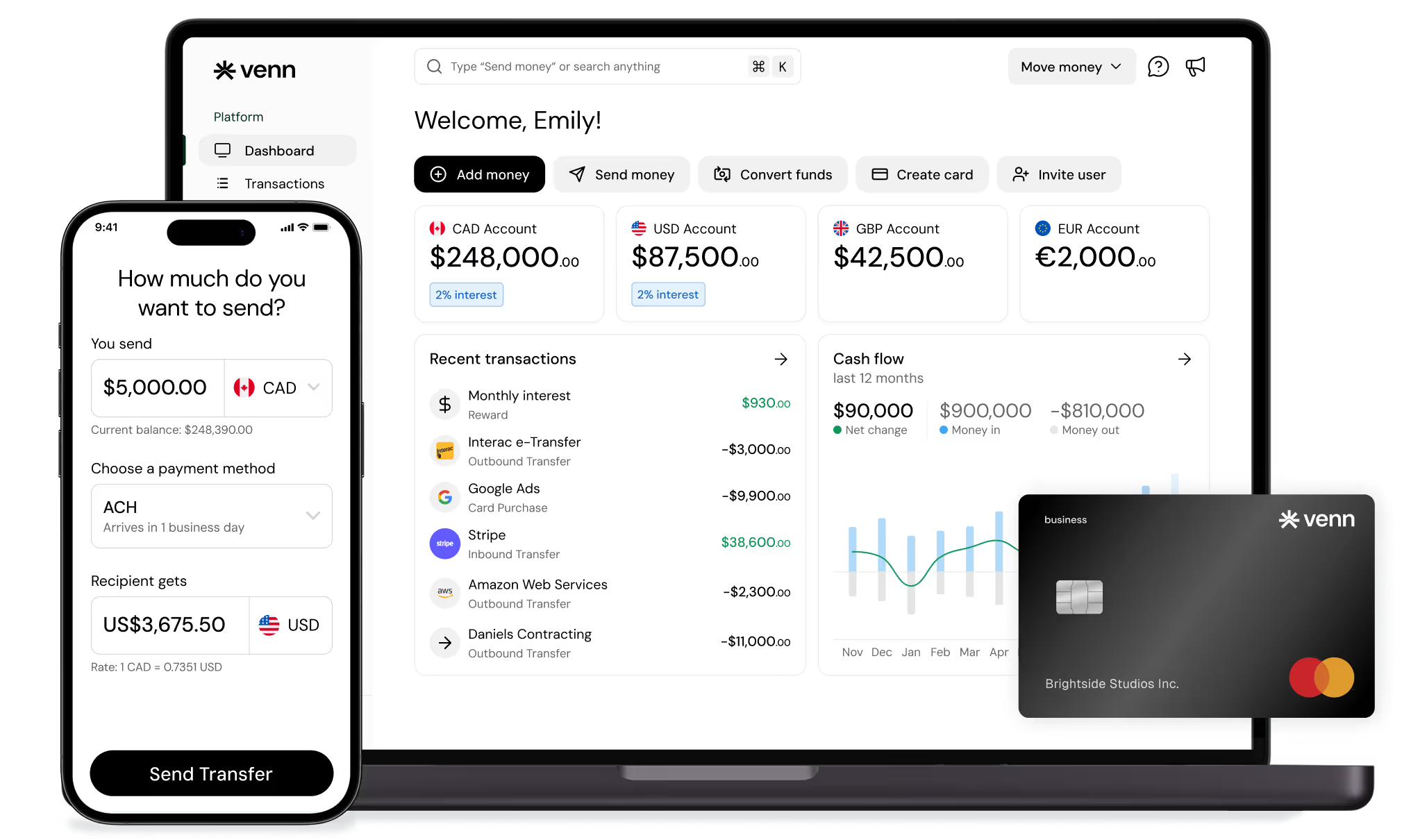
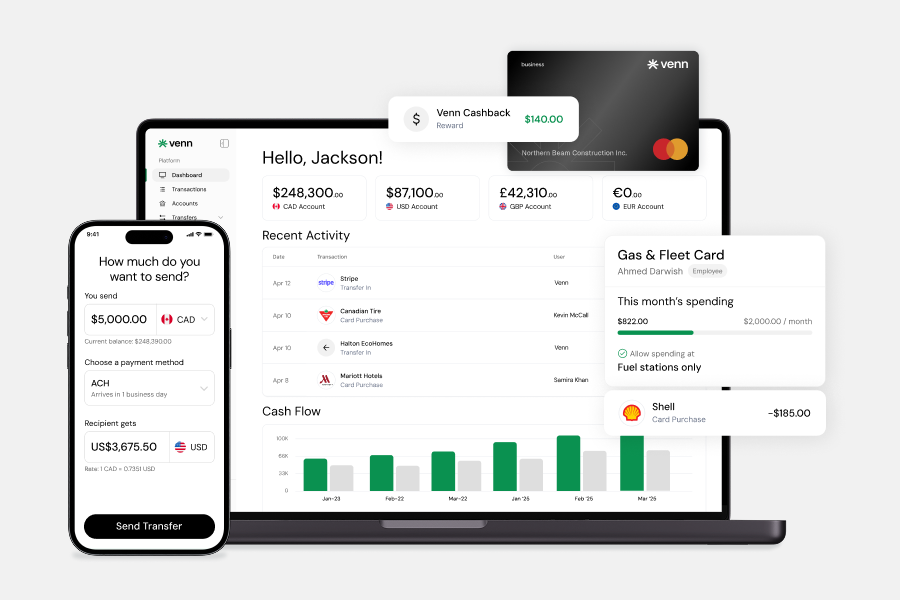
Platforms like Venn, a business banking platform, offer corporate cards with spend controls, OCR receipt capture, and direct integrations with QuickBooks and Xero, which can reduce the gap between a purchase and a reconciled transaction. Other teams use dedicated expense management tools alongside their existing bank accounts. Either approach works better than a reimbursement-only workflow built on spreadsheets and email threads.
Travel Expenses
Business travel generates more receipt chaos than almost any other expense category. A single trip can produce a flight confirmation, hotel folio, two rideshare receipts, a baggage fee charge, a conference registration, and a handful of per diem claims, each from a different source, often submitted days or weeks after the trip ends. Cross-border travel adds foreign exchange complexity, with USD or other currency charges appearing on personal cards and requiring conversion before reimbursement.
Automation reduces this friction significantly. Pre-trip approval workflows let finance teams review and authorize travel spend before it occurs, rather than reconciling surprises after the fact. Issuing a dedicated corporate card for travel, with transaction controls set to relevant merchant categories, keeps travel spend separate and visible in real time. Receipt capture tools, often mobile-first, allow employees to photograph and attach receipts immediately, rather than collecting paper in a wallet for a month-end submission.
Travel policy rules embedded in your expense system can auto-flag out-of-policy bookings, apply per diem rates by city or country, and auto-code transactions to the correct expense category. For Canadian businesses with frequent cross-border travel, a business banking platform that supports USD spending can reduce unnecessary currency conversion on American trips.
Company-paid spend through corporate cards works best for flights, hotels, and conference registrations where costs are predictable and bookable in advance. Reimbursement remains appropriate for incidental out-of-pocket costs like ground transportation or meals where a corporate card is impractical, though minimizing those cases reduces submission delays and reconciliation effort at month end.
Meals And Entertainment
Client dinners, team lunches, event hospitality, and similar expenses are among the most documentation-heavy categories a business manages. Each one requires a receipt, a clear business purpose, the names of attendees, and a connection to a specific client, project, or event. Without a consistent process, these details get lost between the meal and month-end.
Automation helps by prompting receipt capture at the point of purchase, attaching documentation directly to each transaction, and applying policy limits before spend occurs. Exceptions, such as amounts above a set threshold, route automatically to a manager for review rather than surfacing weeks later during reconciliation. This keeps meal and entertainment expenses organized, policy-compliant, and audit-ready without relying on memory or manual follow-up.
Tax treatment for these expenses varies depending on the nature of the meal, who attended, and the business context. Consult a qualified advisor to confirm how these costs apply to your specific situation.
Marketing And Advertising Spend
Marketing expenses can scale quickly, especially when multiple teams, agencies, or freelancers are running campaigns simultaneously. Paid social, search ads, sponsorships, email marketing platforms, freelancer creative fees, print collateral, and event costs all generate spend across different vendors, billing cycles, and approval chains. Without visibility into each of these streams, budgets slip and performance reporting becomes unreliable.
Campaign-based tracking is essential here. Assigning dedicated corporate cards to specific campaigns or channels lets finance teams see exactly where spend is going without waiting for month-end reconciliation. Budget caps at the card or platform level add a second layer of control, preventing overspend before it happens.
Separate your automation workflows by expense type. Recurring platform charges, such as monthly ad account billing or email tool subscriptions, suit automated accounting rules with consistent category tags. One-time campaign spend, including freelancer invoices or event costs, benefits from approval checkpoints before payment clears. Platform-level billing tags and accounting sync rules keep both streams organized without manual sorting.
Inventory, Supplies, And Vendor Payments
Office supplies, packaging materials, wholesale inventory, and manufacturing inputs share a common problem: they generate high invoice volumes with inconsistent timing, making manual processing slow and error-prone. Approval flows and invoice matching protect against duplicate payments and unauthorized purchases. Maintaining clear purchase documentation also keeps your records clean for reconciliation.
For predictable, lower-value supply orders, corporate cards work well and feed directly into accounting workflows. For larger supplier invoices, scheduled vendor payments and accounts payable tools give you better control over payment timing and approval checkpoints. When paying suppliers frequently, free unlimited Interac e-Transfer® for vendor payments is a capability worth evaluating, as transaction fees can accumulate quickly at volume.
Insurance, Professional Fees, And Compliance Costs
Business insurance premiums, bookkeeping retainers, legal fees, and software compliance tools tend to recur on predictable schedules, which makes them reasonable candidates for scheduled payments. Monthly bookkeeping fees and annual insurance premiums, for example, can be set up through pre-authorized payments or recurring bill pay with minimal friction.
That said, annual renewals deserve more than a hands-off autopay. Before each renewal processes, a review reminder should trigger so your team can confirm coverage levels, verify the fee still reflects current scope, and approve the payment deliberately. The same applies to professional advisory fees and licence renewals, where costs can shift year over year.
Documentation and categorization matter here as much as payment scheduling. Each professional fee should carry a corresponding invoice, a clear expense category, and an approval record. Compliance costs tied to annual filings or regulatory requirements need the same treatment. Automating the payment without capturing the supporting documentation creates gaps that complicate bookkeeping and make audits harder to manage. For Canadian businesses, keeping these records organized and consistently categorized is a practical baseline, regardless of which tools or workflows you use.
Taxes And Government-Related Payments
Tax and government-related obligations sit in a different category from most recurring business expenses. While finance teams can calendar remittance deadlines, track filing dates, and set internal review checkpoints, these payments should not run on autopilot. HST/GST remittances, payroll deductions, and corporate tax installments each carry specific timing rules and calculation requirements that change based on your business activity.
Before scheduling or submitting any government payment, have a qualified accountant or finance advisor confirm the amounts and deadlines. Operational planning tools can support awareness and preparation, but compliance responsibility stays with the business.
Foreign Currency And International Supplier Payments
Canadian businesses paying USD supplier invoices, GBP or EUR contractor fees, or cross-border ad spend face costs that go beyond the invoice amount. FX markups, payment rail fees, and timing delays all erode margins quietly. Reconciling multi-currency transactions manually adds another layer of friction at month-end.
Choosing the right combination of business banking platform, payment tools, and accounting workflow matters significantly here. Local currency accounts can reduce unnecessary conversion on recurring international software vendors and global SaaS subscriptions. Automated accounting sync ensures foreign-denominated transactions categorize correctly in QuickBooks or Xero without manual intervention.
Businesses should compare platforms carefully based on which currencies they support, how FX rates are applied, and whether card spend and bank transactions flow into a single reconciliation view. Venn is one option worth evaluating for Canadian businesses: it supports CAD and USD accounts alongside GBP and EUR capabilities, offers card spend with QuickBooks and Xero sync, and suits businesses managing recurring international vendor payments as part of a broader expense automation workflow.
How To Prioritize Which Expenses To Automate First
Not every expense deserves automation on day one. When you automate business expenses, start with the categories that create the most friction: recurring charges, high-volume transactions, and anything that requires chasing receipts or waiting on approvals.
Use this simple decision rule: if an expense repeats monthly, involves multiple approvers, or generates frequent receipt chasing, move it into an automated workflow first.
Specifically, prioritize automation when an expense is:
• Recurring: subscriptions, rent, utilities, retainers
• High-volume: supplier invoices, team spend, ad platform charges
• Approval-heavy: purchases requiring sign-off from more than one person
• Employee-submitted: reimbursements, mileage claims, out-of-pocket travel costs
• Paid in multiple currencies: USD vendor invoices, international contractor payments
• Hard to reconcile manually: fragmented receipts, split purchases, or expenses spread across personal and business cards
For small business expense management in Canada, this framework helps you sequence the work rather than trying to automate everything at once. Tackle the highest-friction categories first, confirm the workflow holds, then expand from there.
What Tools Help Automate Business Expenses?
No single tool handles every expense category well. Most businesses run a stack, combining two to four tools that each solve a specific part of the workflow.
Accounting software such as QuickBooks or Xero sits at the center of most setups, handling categorization, reconciliation, and reporting. Payroll software manages employee compensation, tax remittances, and direct deposit on a scheduled basis. Accounts payable tools streamline invoice approvals, vendor payments, and payment scheduling for businesses with higher invoice volumes.
Corporate cards and spend management platforms give finance teams real-time visibility into employee purchases, enforce spending policies, and reduce reimbursement volume. Business banking platforms connect operating accounts, card spend, and accounting integrations in one workflow. Venn, for example, supports CAD and USD accounts alongside GBP and EUR capabilities, offers 1% cashback from the first dollar on card spend, and syncs with both QuickBooks and Xero. Reimbursement software handles employee expense submissions, receipt capture, and approval routing for out-of-pocket costs that cards do not cover. Bill payment and vendor management tools automate recurring supplier invoices and scheduled payments.
Tools like Float or Loop address card-based spend controls for teams focused on approval workflows, while Wise serves businesses with specific cross-border payment needs. The right combination depends on your transaction volume, team size, and how many international vendors you pay regularly.
Business Expense Automation Tool Comparison
Different businesses need different setups. The right combination depends on your transaction volume, whether you pay international suppliers, how your team submits expenses, and which accounting software you use. The table below presents five common options objectively so you can match your needs to the right approach.
| Option Type / Platform | Best For | Notable Strengths | Potential Limitations |
|---|---|---|---|
| Traditional Business Bank + Accounting Software | Businesses prioritizing branch access or established banking relationships | Familiar setup, broad banking services, suitable for conventional operations | Often involves more manual reconciliation, weaker spend controls, higher FX costs depending on provider |
| Venn | Canadian businesses wanting banking, cards, multi-currency capabilities, and accounting connectivity in one workflow | Business banking platform with CAD and USD accounts plus GBP and EUR capabilities; 1% cashback from the first dollar with unlimited cashback on Pro; OCR receipt capture; direct QuickBooks and Xero integrations; free unlimited Interac e-Transfer® for vendor payments; funds covered under CDIC insurance protection | Not positioned around direct CRA payments; not available to Quebec businesses |
| Wealthsimple Business Chequing | Businesses seeking a simple, low-fee operating account | Low-friction setup, eligible deposit protection, straightforward onboarding | Less suited for teams needing multi-currency workflows, cards, or broader payables automation |
| AP / Spend Tools Such As Float Or Loop | Teams focused on expense controls, approvals, and card-based spend management | Policy-driven spend workflows, team-level controls | May require additional banking tools to support a complete payables workflow |
| International Payments Tools Such As Wise | Businesses focused primarily on cross-border payouts | Useful for specific international payment use cases | Does not replace a fuller business banking and expense management workflow |
Businesses managing multi-currency operations, recurring vendor payments, and team spend will generally benefit from a more integrated setup than a traditional bank account alone provides.
How To Build A Simple Expense Automation Stack
Think of your expense automation setup in four layers: one operating account, one system for team spend, one accounting sync layer, and one process for approvals and documentation. Each layer handles a distinct job, and together they eliminate most of the manual work that slows down month-end close.
Some businesses prefer to stitch together separate tools, pairing a traditional bank account with a standalone corporate card platform, a dedicated AP tool, and accounting software connected by integrations. That approach works well when each tool solves a specific gap and your team has the capacity to manage multiple vendor relationships.
Other businesses prefer a more connected finance workflow where banking, card spend, receipt capture, and accounting sync operate from a single platform. Venn is one option worth evaluating for Canadian businesses that want CAD and USD accounts alongside GBP and EUR capabilities, a Mastercard charge card with 1% cashback from the first dollar, OCR receipt capture, expense management features, and direct QuickBooks and Xero integrations. Venn is a business banking platform, not a bank, and supports corporations and sole proprietorships across Canada, excluding Quebec.
The right stack depends on your transaction volume, team size, and how much international spend you carry. Start with the layer that creates the most friction today, and build from there.
Common Mistakes To Avoid
Automation should improve control and visibility, not simply accelerate flawed workflows. Before you automate business expenses, make sure you are not locking in problems at scale.
• Automating broken approval processes. If your current approval chain is unclear or inconsistently followed, automating it will not fix it. Map and clean up the process first.
• Leaving SaaS renewals unreviewed. Auto-renewing subscriptions without periodic audits leads to paying for tools no one uses. Schedule quarterly reviews even when billing runs automatically.
• Relying only on reimbursements. Reimbursement-heavy workflows create delays, lost receipts, and frustrated employees. Corporate cards with spend controls reduce this friction significantly.
• Mixing personal and business purchases. Shared cards or accounts create reconciliation headaches and can complicate your accounting records. Keep business spend on dedicated accounts and cards.
• Ignoring FX costs on international spend. Paying foreign suppliers without visibility into conversion rates quietly erodes margins. Multi-currency accounts and transparent FX pricing matter here.
• Failing to sync expense systems with accounting. Automating payments without connecting to QuickBooks or Xero means you still face manual data entry at month-end.
• Treating all expenses the same. Recurring subscriptions, employee reimbursements, and vendor invoices each require different workflows. A one-size approach creates gaps in oversight.
Conclusion
The most effective way to automate business expenses is to start where friction is highest: recurring payments, approval-heavy workflows, employee-submitted reimbursements, multi-currency vendor invoices, and categories that consistently slow down month-end reconciliation. These are the areas where manual processes cost the most time and create the most errors.
Before adding new tools, assess whether your current setup connects banking, spend, approvals, and accounting in a clean, consistent workflow. Gaps between any of these layers tend to create the manual work that automation is meant to eliminate.
If your business is outgrowing manual expense tracking, it may be time to evaluate a more connected finance stack. Sign up for a Venn account and explore whether an integrated approach to banking, cards, multi-currency operations, and accounting sync fits how your team manages spend today.
FAQ
Q: What business expenses are easiest to automate first? A: Recurring subscriptions, utilities, payroll-related workflows, employee spend, and regular vendor payments are usually the easiest starting points. These categories share a common trait: they repeat on a predictable schedule, which makes them well-suited for automated payment rules, card controls, and accounting sync.
Q: Can small businesses automate expense tracking? A: Yes. Even simple combinations of business banking, card controls, receipt capture, and accounting sync can remove a large amount of manual work. You do not need an enterprise finance stack to see meaningful time savings on common business expenses.
Q: Is automating business expenses the same as automating bookkeeping? A: No. Expense automation supports bookkeeping, but bookkeeping still depends on correct categorization, review, and reporting. Automation handles the data capture and movement; a qualified bookkeeper or accountant still needs to verify accuracy and ensure proper expense categorization.
Q: What if my business pays international suppliers? A: Multi-currency accounts, FX visibility, and local payment rails can matter as much as card controls or accounting integrations. Canadian businesses with USD, GBP, or EUR supplier invoices should evaluate whether their current banking setup is adding unnecessary conversion costs to their operating expenses.
--- **Disclaimer:** This publication is provided for general information purposes only and does not constitute legal, tax, financial, or other professional advice from Venn Software Inc., its subsidiaries, or its affiliates, and is not a substitute for advice from a qualified professional. All comparisons and competitor information reflect publicly available information believed accurate as of June 1, 2026; features, pricing, rates, and terms referenced are subject to change and may differ at the time you read this. All product names, logos, and brands referenced are the property of their respective owners; their mention does not imply affiliation with or endorsement by Venn. Any comparative statements reflect Venn's views and are provided to help readers evaluate options. We make no representations, warranties, or guarantees, express or implied, that the content is accurate, complete, or up to date.
Venn is all-in-one business banking built for Canada
From free local CAD/USD accounts and team cards to the cheapest FX and global payments—Venn gives Canadian businesses everything they need to move money smarter. Join 10,000+ businesses today.
Frequently asked questions
Everything you need to know about the product and billing.
Join 10,000+ businesses banking with Venn today
Streamline your business banking and save on your spend and transfers today
No personal credit check or guarantee.