Small Business Expense Management Tools in Canada for 2026
Small Business Expense Management tools in Canada for 2026 compared. See top picks for CRA-ready receipts, GST HST, FX and QuickBooks Xero sync and controls.

Ahmed Shafik
Co-founder

Trusted by 15,000+ Canadian businesses
Business banking for Canada
Local CAD and USD accounts, corporate cards with cashback, the lowest FX rates in Canada, free local transfers, and more.
Managing business expenses shouldn't consume hours of your week. Yet for many Canadian small business owners, the reality involves chasing receipts, reconciling credit card statements, and untangling messy reimbursement requests. Add cross-border transactions into the mix, and you're facing hidden FX fees that quietly erode your margins.
The solution isn't a single app. It's a well-designed stack that connects your banking and card layer with your accounting software and, when needed, specialized tools for approvals or bill payments. This guide breaks down the best expense management tools available to Canadian businesses in 2026, with a clear focus on what actually matters: GST/HST compliance, CRA-ready records, multi-currency capabilities, and seamless accounting integration.
By the end, you'll have a shortlist, a comparison table, and a practical framework for building the right expense management stack for your business.
What Counts As "Expense Management" (And What Doesn't)
Before comparing tools, let's clarify what we're actually evaluating.
Expense tracking is basic categorization. You record what was spent and assign it to a category. Simple, but limited.
Expense management goes further. It includes policy enforcement, approval workflows, receipt capture with OCR, reimbursement processing, and spending controls. This is what most growing businesses need.
Spend management encompasses the full picture: corporate cards with real-time controls, vendor payments, accounts payable automation, and treasury functions. This is where banking and expense management converge.
Canada-Specific Requirements
Canadian businesses face unique compliance obligations that many US-focused tools overlook.
GST/HST documentation matters for claiming Input Tax Credits. The CRA requires receipts to include the supplier's name, GST/HST registration number, transaction date, amount paid, and a description of goods or services. Missing any of these elements can disqualify your ITC claim.
CRA electronic record-keeping standards require businesses to maintain records for six years in a format that's accessible and auditable. Your expense management system needs to store receipt images and transaction data in a way that satisfies these requirements.
2026 Shortlist: Comparison Table
Pricing and features change frequently. Verify current details before making final decisions.
| Tool | Best For | Corporate Cards | Receipt Capture/OCR | Approvals & Controls | Reimbursements | Multi-Currency | QuickBooks/Xero | Canada Strengths | Pricing Model |
|---|---|---|---|---|---|---|---|---|---|
| Venn | Core banking + multi-currency stack | Yes, multi-currency | Yes, OCR matching | Yes | Via card/transfers | CAD, USD, GBP, EUR accounts | Direct sync | Local rails, free e-Transfers, CDIC protection | Per account |
| Expensify | Stand-alone expense reporting | Limited | Yes, SmartScan | Yes, robust | Yes | Limited | Yes | Familiar interface | Per member |
| Zoho Expense | Budget-conscious Zoho users | No | Yes | Yes | Yes | Basic | Zoho Books | CAD pricing available | Tiered |
| Plooto | AP automation + bill pay | No | Invoice capture | Yes | No | Yes | Yes | Canadian-built, CRA-friendly | Per transaction |
The Best Expense Management Tools in Canada for 2026
Venn — Best Core Stack Choice for Canadian SMBs With Multi-Currency Needs
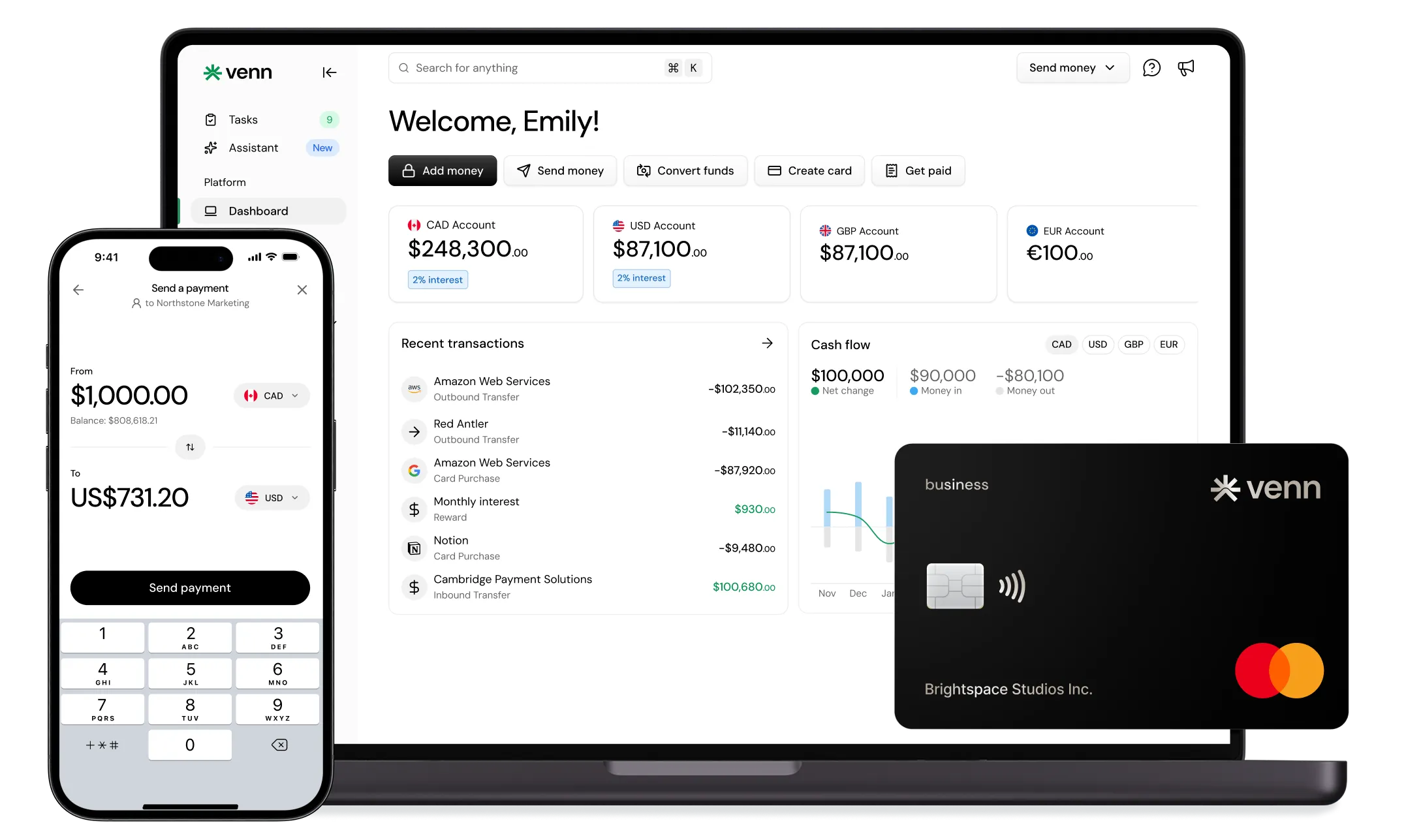
Venn functions as the foundation layer that makes your entire expense management stack work better. Rather than treating banking and expense management as separate problems, Venn combines business banking, corporate cards, and multi-currency accounts into a single platform that connects directly to your accounting software.
Multi-Currency Capabilities
The standout feature for cross-border businesses is Venn's real local USD account with ACH capability. Most Canadian banks and fintechs offer "US accounts" that actually route through SWIFT, meaning you pay wire fees even on domestic US transfers. Venn provides genuine US account details that can send and receive ACH payments, eliminating those hidden costs.
You also get local GBP and EUR accounts with access to SEPA and Faster Payments. For businesses earning revenue in multiple currencies, this means fewer conversions and lower fees across the board.
Corporate Cards and Expense Controls
Venn's multi-currency card automatically uses the currency you're paying in first. If you're buying from a US vendor and have USD in your account, the card draws from USD, no conversion required. This alone can save hundreds in FX fees monthly.
The card offers 1% unlimited cashback on spend. Note that the free plan has monthly caps on cashback, so businesses with higher spend volumes should evaluate paid tiers.
Banking Features That Support Expense Management
Beyond cards, Venn provides free unlimited Interac e-Transfer® on all plans, making vendor payments and reimbursements simple and cost-free. You can pay taxes, run payroll, and handle bills directly from your Venn account because it connects to Canadian banking rails through Peoples Trust. Users can also access funds, send transfers, and create cards from Venn's mobile app, giving teams day-to-day control without needing to log in from a desktop.
The platform earns 2% interest on both CAD and USD balances, turning your operating cash into a working asset rather than idle funds.
Funds held through Venn are covered under CDIC insurance protection, and Venn operates as a registered Payment Service Provider compliant with Canadian regulations.
Accounting Integration
Direct QuickBooks and Xero sync means transactions flow automatically into your books with OCR receipt capture and invoice matching. This eliminates manual data entry and keeps your records audit-ready.
Watch-outs: Venn is a business banking platform, not a bank. If you need complex approval hierarchies for large teams, you may want to pair Venn with a dedicated approval workflow tool.
Pricing: Per-account pricing rather than per-user, which benefits growing teams.
Expensify — Best Stand-Alone Expense Reporting Workflows
Expensify has built its reputation on streamlined expense reporting with strong approval workflows and reimbursement processing. For businesses that already have a banking solution but need structured expense submission and approval, Expensify delivers.
Core Strengths
SmartScan OCR captures receipt data accurately, and the approval workflow engine handles complex routing rules. Employees can submit expenses via mobile, managers approve with a tap, and reimbursements process automatically.
The platform integrates with QuickBooks and Xero, syncing approved expenses directly to your accounting software.
Limitations
Expensify focuses on expense reporting rather than banking or payments. You'll still need a separate solution for corporate cards, vendor payments, and multi-currency management. For businesses with cross-border operations, this creates gaps.
Pricing: Verify current rates, but Expensify has offered simplified per-member pricing for SMBs.
Best pairing: Use Expensify for approval workflows and reimbursements alongside Venn for banking, cards, and multi-currency accounts.
Zoho Expense — Best Budget-Friendly Option for Zoho Ecosystem Users
If your business already uses Zoho Books or other Zoho products, Zoho Expense offers natural integration at competitive pricing.
What It Does Well
Receipt capture, mileage tracking, and reimbursement workflows cover the basics. The interface is straightforward, and Canadian pricing is available with CAD support.
For small teams that don't need corporate cards or multi-currency accounts, Zoho Expense handles expense submission and approval without complexity.
Limitations
Zoho Expense doesn't include corporate cards or banking features. Multi-currency support is basic. Businesses with international operations will find it limiting.
Pricing: Tiered plans based on features and users.
Best pairing: Combine Zoho Expense for reimbursements with Venn for banking and card spend.
Plooto — Best for AP Automation That Complements Expense Tools
Plooto solves a different problem: accounts payable automation. If your bottleneck is processing vendor invoices and managing bill payments, Plooto streamlines that workflow.
Core Strengths
Invoice capture, approval routing, and batch payments reduce the time spent on AP. The platform integrates with QuickBooks and Xero, syncing payment data automatically.
Plooto supports domestic and international payments, though processing times run 3-5 business days for standard transfers.
Limitations
Plooto handles payables, not expense management broadly. No corporate cards, no receipt capture for employee expenses, no reimbursement workflows.
Pricing: Transaction-based fees plus monthly subscription tiers.
Best pairing: Use Plooto for high-volume AP alongside Venn as the banking layer. Venn's same-day or next-day payment delivery complements Plooto's batch processing.
How to Choose the Right Expense Management Tool in Canada
Use this checklist to evaluate any solution:
CRA-ready records. Can the system store receipts and transaction data for six years in an accessible, auditable format? Does it capture the required GST/HST fields?
GST/HST documentation quality. Does receipt capture include supplier name, registration number, date, amount, and description? Incomplete data means lost ITCs.
Cards vs. reimbursements. Corporate cards reduce reimbursement volume and give you real-time visibility. Reimbursements work for occasional expenses but create administrative burden at scale. Most businesses benefit from cards as the default with reimbursements for exceptions.
Multi-currency reality check. Where do FX costs actually hit you? Receiving USD payments? Paying international vendors? Employee travel? Map your currency flows before choosing tools.
Approvals and controls. Who can issue cards? Set spending limits? Approve reimbursements? Define your control requirements before evaluating features.
Accounting integration depth. Does the tool sync transactions automatically? Attach receipts to entries? Apply coding rules? The deeper the integration, the less manual reconciliation.
Pricing traps. Per-user fees add up fast for growing teams. Per-account pricing, like Venn offers, scales better. Transaction fees matter for high-volume businesses.
Recommended Stacks for Different Business Types
Canada-Only Service Business
Stack: Venn + QuickBooks or Xero + Zoho Expense (optional for reimbursements)
Venn handles banking and card spend with direct accounting sync. Add Zoho Expense only if you have significant employee reimbursements beyond card transactions.
Cross-Border Revenue (USD Clients)
Stack: Venn + QuickBooks or Xero + Stripe
Venn's local USD account receives ACH payments from US clients without wire fees. Connect Stripe for payment processing and deposit directly to your USD account, avoiding the 1.5% cross-border fee. Convert to CAD at Venn's competitive FX rates when needed.
High AP Volume
Stack: Venn + Plooto + QuickBooks or Xero
Plooto handles invoice processing and batch payments. Venn provides the banking layer with faster payment delivery for urgent vendors.
Lean Startup With Contractors
Stack: Venn + QuickBooks or Xero
Keep it simple. Venn's cards handle most expenses with automatic categorization. Free Interac e-Transfer® pays contractors instantly. Direct accounting sync eliminates manual entry.
Implementation Notes
Week one: Define your expense policy. What requires approval? What spending limits apply by role? What documentation is required?
Week two: Roll out cards to team members with appropriate limits. Train on receipt capture.
Week three: Configure accounting integration. Map categories, set up coding rules, test sync.
Week four: Review and refine. Check for missed receipts, miscategorized expenses, and workflow bottlenecks.
Internal controls checklist:
• Designate who can issue cards and set limits
• Establish approval thresholds (e.g., expenses over $500 require manager approval)
• Set receipt submission deadlines (within 48 hours of transaction)
• Define consequences for policy violations
Conclusion
The best expense management setup depends on your workflow complexity, currency needs, and team size. Generic tools work for simple situations. Growing businesses with cross-border operations need a more thoughtful stack.
For most Canadian SMBs in 2026, the winning approach starts with a strong banking and card foundation. Venn provides that foundation with multi-currency accounts, competitive FX rates, unlimited cashback, and direct accounting integration. Layer on specialized tools for AP automation or reimbursement workflows only when your volume justifies the added complexity.
FAQs
Q: What's the difference between expense tracking and expense management?
A: Expense tracking is basic categorization of spending. Expense management includes policy enforcement, approval workflows, receipt capture, reimbursement processing, and spending controls. Most growing businesses need the full expense management capability.
Q: How long do I need to keep receipts in Canada?
A: The CRA requires businesses to keep records, including receipts, for six years from the end of the tax year they relate to. Your expense management system should store receipt images in an accessible format for this duration.
Q: Do I need a corporate card to do expense management well?
A: Corporate cards significantly reduce administrative burden by eliminating most reimbursements and providing real-time visibility. While not strictly required, cards make expense management far more efficient.
Q: What should a GST/HST receipt include for ITCs?
A: Valid receipts must include the supplier's name, GST/HST registration number, transaction date, total amount paid, and a description of goods or services purchased. Missing elements can disqualify your Input Tax Credit claim.
Q: What's the best setup for businesses paid in USD?
A: Use a platform like Venn that provides local USD account details with ACH capability. This lets you receive USD payments without wire fees and hold USD until you need to convert, avoiding unnecessary FX transactions.
Q: Can I manage multi-currency expenses without paying FX twice?
A: Yes. With a multi-currency card like Venn's, the card draws from your balance in the transaction currency first. If you're paying in USD and have USD funds, no conversion occurs. This eliminates the double-conversion problem common with single-currency cards.
Q: What's the simplest expense management setup for a 1-10 person team?
A: Venn plus QuickBooks or Xero covers most needs. Issue cards to team members, capture receipts via the app, and let transactions sync automatically to your accounting software. Add specialized tools only when specific pain points emerge.
Funds held through Venn are covered under CDIC insurance protection. Venn is a business banking platform and registered Payment Service Provider, not a bank.
---
**Disclaimer:** This publication is provided for general information purposes and does not constitute legal, tax or other professional advice from Venn Software Inc or its subsidiaries and its affiliates, and it is not intended as a substitute for obtaining advice from a financial advisor or any other professional. We make no representations, warranties or guarantees, whether expressed or implied, that the content in the publication is accurate, complete or up to date.
This publication is provided for general information purposes only and does not constitute legal, tax, financial, or other professional advice from Venn Software Inc., its subsidiaries, or its affiliates, and is not a substitute for advice from a qualified professional. All comparisons and competitor information reflect publicly available information believed accurate as of April 21, 2026; features, pricing, rates, and terms referenced are subject to change and may differ at the time you read this. All product names, logos, and brands referenced are the property of their respective owners; their mention does not imply affiliation with or endorsement by Venn. Any comparative statements reflect Venn's views and are provided to help readers evaluate options. We make no representations, warranties, or guarantees, express or implied, that the content is accurate, complete, or up to date.

Venn is all-in-one business banking built for Canada
From free local CAD/USD accounts and team cards to the cheapest FX and global payments—Venn gives Canadian businesses everything they need to move money smarter. Join 15,000+ businesses today.
Frequently asked questions
Everything you need to know about the product and billing.
Join 15,000+ businesses banking with Venn today
Streamline your business banking and save on your spend and transfers today
No personal credit check or guarantee.