What is a payment processor and how does it work in Canada
What is a payment processor and how does it work in Canada Understand authorization vs settlement, gateway differences, fees, security and payout timing.

Trusted by 15,000+ Canadian businesses
Business banking for Canada
Local CAD and USD accounts, corporate cards with cashback, the lowest FX rates in Canada, free local transfers, and more.
Where Card Payments Fit in a Business
A customer taps a card at your café in Halifax, pays an invoice by card in Calgary, or completes an online checkout from Toronto. To the buyer, it feels instant. Behind the scenes, that tap or click moves through a payment processing setup your business depends on but rarely sees.
If you've ever asked, "What is a payment processor and how does it work?", you're likely trying to separate several connected pieces. Operators often mix up the payment processor with the payment gateway, merchant account, acquiring bank, or everyday business account. Each plays a distinct role when your business accepts card payments whether in person, online, or on a recurring schedule.
Payment Processor Basics for Canadian Businesses
A payment processor is the technology and infrastructure that transmits payment information so a transaction can be approved or declined.
When your business accepts a card payment, the processor connects several parties working in the background: the merchant, the card network, the issuing bank that provided the customer's card, and the acquiring side that supports your ability to accept payments.
In practical terms, payment processing has two core moments. First comes authorization—the issuing bank checks whether the card can be used and returns an approval or decline. Then comes settlement, when approved funds move through the system toward the merchant.
For Canadian businesses, this distinction matters. The processor is not the same as the business account where your company manages settled funds, pays expenses, or reconciles cash flow. Accepting payments and managing what comes after are two separate functions.
The Authorization and Settlement Flow
A card payment moves through two distinct phases: authorization and settlement. Authorization answers, "Can this payment go through?" Settlement answers, "When does the business receive the money?"
- The customer starts the payment The flow begins when a customer pays through an online checkout, taps a card at a terminal, inserts or swipes a card, or enters card details to pay an invoice. The channel may differ, but the payment processing sequence follows the same basic structure.
- The payment tool captures the data A checkout page, card terminal, or invoice payment tool collects the payment details. For online payments, this often involves a payment gateway. For in-person payments, the terminal performs a similar role by capturing and transmitting the transaction request.
- Security controls protect the transaction Before the request moves forward, security layers help reduce exposure of sensitive card data. Encryption protects information in transit, while tokenization replaces card details with a secure token that has limited use if intercepted. These controls support fraud prevention and help businesses meet PCI compliance obligations.
- The request moves to the processor The gateway or terminal sends the authorization request into the payment stack, and the payment processor routes the transaction to the appropriate card network.
- The card network contacts the issuing bank The card network passes the request to the customer's issuing bank—the financial institution that issued the card and controls the approval decision.
- The issuing bank makes a decision The issuing bank checks available funds or credit, card status, transaction risk, and fraud signals. If the checks pass, it approves. If something fails, it declines.
- The authorization response returns quickly The approval or decline travels back through the same chain to the checkout page, terminal, or invoice tool—usually within seconds. An approved authorization confirms the customer can proceed, but it does not mean funds have arrived in your account.
- Settlement and payout happen later After authorization, approved transactions are typically grouped into a batch. The processor, card network, and acquiring side complete settlement so funds can move through the system. Payout timing depends on the provider, risk controls, payment method, and business setup. Approval confirms the sale; settlement determines when the funds are actually available to use.
Who Takes Part in a Card Transaction
A card payment involves several parties, each with a specific role. Knowing who does what makes it easier to compare providers and understand where fees, delays, or disputes may arise.
- Customer or cardholder: The person or business using a credit card, debit card, or digital wallet to pay.
- Merchant: Your business. You accept the payment and receive funds after settlement, minus applicable processing fees.
- Payment gateway or terminal: The tool that captures payment details. Online payments typically use a gateway; in-person payments use a card terminal or point-of-sale device.
- Payment processor: The provider that routes transaction data between the merchant side, the card network, and the customer's bank during authorization—and supports settlement after approval.
- Card network: Networks such as Visa or Mastercard set the rules, connect banks, and move authorization messages between parties.
- Issuing bank: The customer's bank. It checks card status, available credit or funds, and risk signals before approving or declining.
- Acquiring bank or acquiring partner: The merchant-side financial institution or partner that connects your business to the card networks.
- Merchant account: Where card funds may be held before payout, depending on the payment service provider and setup.
During authorization, these parties exchange messages in seconds. During settlement, they reconcile the approved payment and move funds toward your payout destination.
Processor, Gateway, Merchant Account, and Business Account Differences
When comparing a payment gateway vs. payment processor, focus on where each tool sits in the stack. The gateway handles secure front-end capture of payment details, especially for online payments. The processor supports the transaction's movement through the payment system. A merchant account may sit between card settlement and payout, depending on whether your provider uses a dedicated merchant account model or a bundled payment service provider setup.
After funds settle, they typically move into a business account or finance platform—where your team manages operating cash, matches deposits to invoices, and prepares records for accounting workflows.
Many Canadian businesses use one provider for payment acceptance and another for cash management. This separation matters when you evaluate reporting, settlement timing, and how cleanly payment processing data flows into your back office.
Payment Methods Businesses May Need
Your payment setup should match how customers buy from you, not just how your processor prices transactions.
For ecommerce businesses, online payments typically centre on card acceptance through product pages, hosted checkout pages, or embedded checkout flows. If buyers shop on mobile, digital wallets reduce friction by eliminating the need to type card details into every purchase.
For in-person selling, the needs shift. Retail stores often require terminals that support tap, insert, and PIN. Hospitality businesses may need portable devices for tableside payment, while service businesses may need mobile card readers for jobs completed at a client site.
If your revenue repeats, recurring payments become essential. Subscription companies, membership organizations, and firms billing monthly retainers need tools that store payment credentials securely and charge customers on a set schedule—without manual follow-up.
Invoice payments serve a different workflow entirely. Professional services firms, wholesalers, and B2B suppliers often send invoices first, then let customers pay by card or bank transfer—supporting larger transactions and cleaner reconciliation.
In Canada, card payment processing runs on separate rails from bank transfers. EFT payments move funds between bank accounts. PAD (pre-authorized debit) supports approved withdrawals for recurring billing. ACH payments refer to U.S. bank-payment rails, which may matter for cross-border transactions. Interac e-Transfer® is also a separate rail—useful for some direct transfers, but not a replacement for card processing across every checkout, subscription, or point-of-sale scenario.
Payment Processing Fees
The headline rate rarely tells the full story. For card payments, most providers charge a percentage of each transaction, and many add a fixed per-transaction fee—which can add up quickly if your business processes a high volume of low-value purchases.
If a customer disputes a payment, you may face a chargeback fee on top of the lost revenue and the time required to respond. Some providers also charge monthly platform fees for access to dashboards, billing tools, fraud controls, or advanced reporting.
Selling beyond Canada adds another layer. Cross-border payments may carry extra costs tied to international cards, currency conversion, or foreign exchange spreads. For in-person payments, factor in hardware as well—terminals, card readers, setup costs, replacement devices, and connectivity requirements all affect your total cost.
Look beyond fees alone. Strong approval rates protect revenue. Fraud prevention tools reduce disputes. Faster settlement improves cash flow. And clear reporting makes reconciliation easier for your finance team.
Security, Compliance, and Fraud Prevention
Security affects more than compliance—it shapes customer trust, authorization quality, and the risk your team carries after every sale.
PCI compliance sets baseline rules for handling card data safely. For most Canadian SMBs, the practical goal is straightforward: avoid storing sensitive card details yourself unless you have the systems and controls to protect them. A secure checkout, hosted payment page, or trusted payment service provider can significantly reduce that burden.
Encryption protects payment data as it moves between systems. Tokenization replaces card numbers with unusable tokens, lowering exposure if a system is ever compromised. Fraud screening adds another layer by checking signals such as billing details, unusual order patterns, and high-risk transactions.
Chargeback management matters too. Look for clear evidence tools, dispute workflows, and reporting that helps your team respond quickly. Before choosing any processor or gateway, review its security practices, support model, uptime history, and fit for Canadian businesses.
Choosing a Payment Setup in Canada
Treat the payment setup decision as an operations checklist, not a vendor ranking. The right answer depends on how your business sells, where your customers pay from, and how cleanly payment data moves into your finance workflow.
Ask these questions before choosing a payment processor or payment service provider:
- Where do customers pay? If you sell online, in person, or both, confirm the setup supports each channel without creating separate reporting streams.
- Are sales domestic or cross-border? Check how cross-border payments flow, which regions are supported, and whether settlement can happen in the currencies you use most.
- Do you bill customers on a schedule? If you sell subscriptions, memberships, retainers, or instalment plans, recurring payments should be easy to manage without manual intervention.
- How quickly do you need funds? Settlement timing affects payroll planning, inventory purchases, tax remittances, and day-to-day cash flow.
- Which currencies can you accept and receive? Multi-currency support matters if customers pay in USD, EUR, GBP, or other currencies—especially when FX conversion creates extra operational work.
- How does fraud prevention work? Look for controls that flag unusual transactions and support chargeback workflows.
- Can your team reconcile payments efficiently? Reporting should connect each transaction to the order, invoice, customer, and payout.
- Does it connect to accounting? QuickBooks, Xero, or similar integrations can reduce month-end cleanup significantly.
- What is the all-in cost? Model the cost of your actual transaction mix, not just the headline rate.
- Where do payouts land? Confirm whether funds move into a merchant account, a business account, or another finance tool your team uses daily.
Payment Processing in Your Finance Operations Stack
Once you understand how payment processing works, the next question is operational: where does the money go, and how does your team manage it after settlement?
Payment acceptance solves only one part of the workflow. Most businesses also need to receive settled funds, match payouts to transactions, send invoices, pay vendors, control team spend, and sync records with accounting software.
A common setup pairs a dedicated payment processor with a traditional business account at a bank such as RBC, TD, or BMO. This works well for teams that prefer familiar banking workflows, though reconciliation may require more manual effort depending on the tools involved.
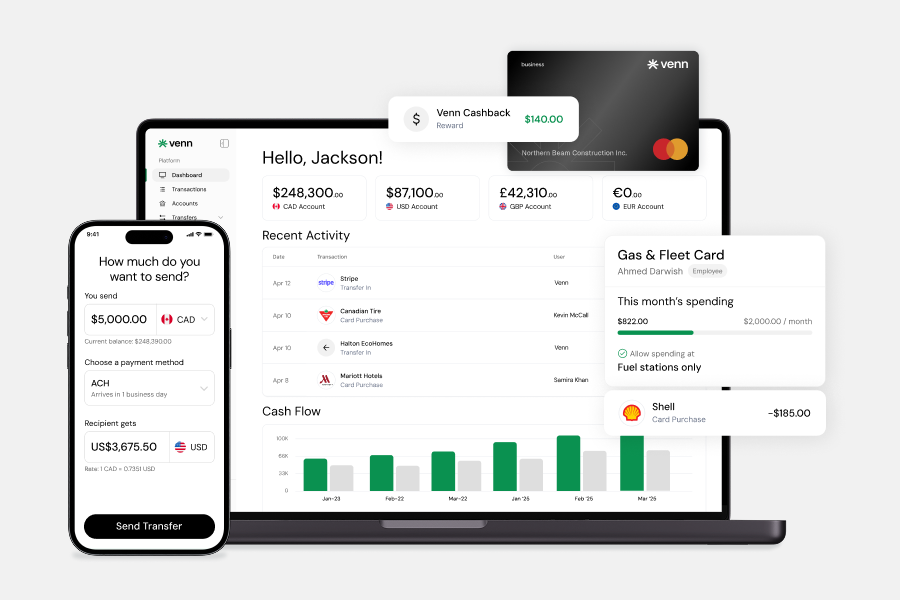
Another approach pairs a dedicated payment processor with a modern business finance platform. Venn, for example, is a Canadian technology company and business finance platform—not a standalone payment processor or a bank. For businesses managing local and international operations, Venn supports CAD and USD account capabilities, with GBP and EUR account capabilities available as well. If your team bills clients directly, Venn supports invoicing. For employee spend, Venn offers expense management with OCR receipt capture, plus corporate card capabilities with 1% cashback on eligible card spend and unlimited cashback available on Pro.
For back-office workflows, Venn connects directly with QuickBooks and Xero. Vendor payments can run through free unlimited Interac e-Transfer®, and businesses dealing with cross-border payments can access competitive FX rates. Balances are held at Bank of Montreal and are eligible for CDIC insurance protection up to applicable limits.
Some businesses opt for a more fragmented setup—separate tools for invoicing, spend management, payables, and reconciliation. That can offer flexibility, but it often creates more places to check when payment processing data, settlement deposits, and accounting records don't line up.
Key Takeaways for Business Payment Operations
Understanding what a payment processor is and how it works gives your business a clearer view of the full payment stack. The processor supports payment acceptance, but your operations also depend on how authorization connects to settlement, how transaction data surfaces in reporting, and how your team reconciles payments against invoices, refunds, and accounting records.
The right setup depends on how you sell. Online payments, in-person payments, recurring payments, and cross-border payments each create different operational needs—and customer preferences matter too, especially when buyers expect card payments, bank transfers, or digital wallets.
Before choosing tools, map where funds land, who reviews exceptions, and how your finance team manages cash after settlement. From there, explore how modern business finance tools can support invoicing, multi-currency accounts, and accounting sync alongside payment processing. Sign up for Venn
Frequently Asked Questions
Q: Is a payment processor the same as a payment gateway?
A: No. A payment gateway captures and sends payment data—especially for online payments—while a payment processor routes the transaction through the payments system. Think of the gateway as the secure entry point and the processor as the infrastructure that moves the request onward.
Q: Do all businesses need a merchant account?
A: Not always. Some payment service providers bundle merchant account functionality into a broader payment service, while other setups use a separate merchant account. Your business model, sales channels, and payout requirements will influence which structure makes sense.
Q: How long does payment settlement take?
A: It varies by provider, payment method, risk controls, and payout setup. Authorization is usually fast, but settlement and funding can take longer. If cash flow timing matters to your business, confirm payout schedules before committing to a payment processing setup.
Q: Can a Canadian business accept payments in multiple currencies?
A: Yes, but the setup varies by payment processor, acquiring bank, and settlement arrangement. Check supported settlement currencies, foreign exchange costs, and where funds will be received—especially if you're handling cross-border payments or serving customers outside Canada.
Q: Does Interac e-Transfer® replace card processing?
A: No. Interac e-Transfer® is a separate payment rail suited to different business scenarios than credit card processing. Many Canadian businesses use both, depending on whether they need card acceptance, invoice payments, bank-transfer workflows, or recurring payments.
---
**Disclaimer:** This publication is provided for general information purposes only and does not constitute legal, tax, financial, or other professional advice from Venn Software Inc., its subsidiaries, or its affiliates, and is not a substitute for advice from a qualified professional. All comparisons and competitor information reflect publicly available information believed accurate as of September 16, 2026; features, pricing, rates, and terms referenced are subject to change and may differ at the time you read this. All product names, logos, and brands referenced are the property of their respective owners; their mention does not imply affiliation with or endorsement by Venn. Any comparative statements reflect Venn's views and are provided to help readers evaluate options. We make no representations, warranties, or guarantees, express or implied, that the content is accurate, complete, or up to date.

Venn is all-in-one business banking built for Canada
From free local CAD/USD accounts and team cards to the cheapest FX and global payments—Venn gives Canadian businesses everything they need to move money smarter. Join 15,000+ businesses today.
Frequently asked questions
Everything you need to know about the product and billing.
Join 15,000+ businesses banking with Venn today
Streamline your business banking and save on your spend and transfers today
No personal credit check or guarantee.