Top 10 Business Expenses You Can Automate Today for SMBs
Top 10 Business Expenses You Can Automate Today: cut receipt chasing, speed approvals, and sync to QuickBooks or Xero with practical workflows for Canada.

Ahmed Shafik
Co-founder

Trusted by 15,000+ Canadian businesses
Business banking for Canada
Local CAD and USD accounts, corporate cards with cashback, the lowest FX rates in Canada, free local transfers, and more.
Too many Canadian businesses still track expenses through spreadsheets, forwarded email receipts, and approval chains that run through someone's inbox. Finance leads chase down missing receipts at month-end. Founders approve reimbursements days after the fact. Controllers reconcile transactions manually when they should be closing the books.
The cost is real: slower reimbursements, higher error rates, weaker audit trails, and a month-end close that takes far longer than it should.
Expense automation changes that. When the right workflows are in place, recurring charges categorize themselves, receipts attach to transactions automatically, approvals route without manual follow-up, and your accounting software stays current throughout the month rather than catching up at the end of it.
This guide covers the top 10 business expenses you can automate today, with practical guidance on which expense categories offer the fastest wins, which workflows apply to each, and which tools support the process. Whether you run a sole proprietorship, lead finance at a growing startup, or manage operations for an incorporated business, this is a working reference for reducing admin and building cleaner, more visible spend management.
What Counts as a Business Expense?
A business expense is any cost you incur to earn business income. Common business expense categories include software subscriptions, office supplies, travel, contractor invoices, and marketing spend. For Canadian businesses, the Canada Revenue Agency (CRA) sets the general framework for what qualifies, but the actual tax treatment of deductible business expenses can vary based on your business structure, the purpose of the expense, how you document it, and the specific context in which it was incurred.
How Expense Automation Works
Expense automation is a connected workflow, not a single tool. It links several processes together: receipt capture, transaction categorization, approval routing, employee reimbursements, bill payments, and accounting sync. Each step feeds the next, reducing the manual handoffs that slow down bookkeeping and create errors.
For Canadian SMBs, this connected approach solves a specific problem. Finance teams often juggle emailed receipts, spreadsheet logs, and manual bank reconciliations, all of which create gaps in the audit trail and make month-end close slower than it needs to be. Automating these steps produces cleaner records, faster reimbursements, and clearer cash-flow visibility without adding finance headcount.
The core building blocks typically include:
• Receipt capture and OCR to digitize paper and digital receipts at the point of purchase
• Card feeds and transaction categorization to tag spend automatically by vendor, category, or cost centre
• Recurring payment rules to handle predictable expenses like subscriptions and utilities without manual entry
• Approval workflows to route expenses through the right people before payment or reimbursement
• Bill payment automation to schedule vendor payments and track due dates
• Accounting sync to push categorized transactions directly into QuickBooks or Xero
Together, these building blocks reduce manual data entry, shorten the month-end close cycle, and create a cleaner audit trail for CRA compliance. The result is better spend visibility across every common business expense category, from office supplies to cross-border supplier payments.
Explain the Core Building Blocks
Expense automation draws on several interconnected components, each solving a specific point of friction in your financial workflow.
Receipt capture and OCR convert paper and digital receipts into structured data automatically, eliminating manual data entry. Card feeds pull transaction data directly from your business cards into your expense or accounting platform in real time. Automated transaction categorization applies rules to incoming transactions so each purchase maps to the correct expense category without human intervention.
Recurring payment rules handle predictable vendor charges by tagging and routing them consistently every cycle. Approval workflows route expense submissions to the right approver based on amount, category, or department, replacing email chains with structured sign-off. Mileage tracking apps log trips automatically using GPS and calculate reimbursements based on current CRA-approved rates.
Bill payment automation schedules vendor invoices for payment on due dates, reducing late fees and manual follow-up. Accounting sync with QuickBooks or Xero pushes categorized transactions directly into your books, cutting reconciliation time at month-end.
Modern systems increasingly connect all of these layers, linking payment methods, approval steps, documentation, and bookkeeping into a single workflow rather than a collection of disconnected tools.
Clarify the Payoff
Automating your business expense categories cuts manual data entry at the source. When card transactions feed directly into your accounting software, reconciling spend takes minutes rather than hours. Receipt capture eliminates the missing-receipt problem before month-end close even begins.
The downstream effects compound quickly. Approval workflows enforce your expense policy consistently, so employee spend stays within defined limits without requiring a finance manager to chase every submission. Recurring expense tracking gives you a clear view of cash flow across utilities, subscriptions, and vendor bills, so you spot budget drift early rather than after the fact.
Preparing reports becomes a matter of pulling categorized data, not reconstructing it from email threads and spreadsheets. A cleaner audit trail also means your records hold up under CRA scrutiny without last-minute scrambling.
Top 10 Business Expenses You Can Automate Today
Most Canadian businesses still process a surprising share of their expenses manually: spreadsheets, emailed receipts, approval chains handled over Slack, and month-end scrambles to reconcile what was spent and why. The good news is that the business expense categories most likely to cause that friction are also the easiest to automate.
The ten expense types below share a common trait: they are recurring, high-volume, policy-driven, or tied to repeatable approval and payment workflows. That combination makes them strong candidates for automation right now, without requiring a full financial systems overhaul.
For each category, you will find real examples of what falls into it, a clear explanation of why it is a practical automation target, and the type of workflow or tool that can handle it. Whether you are a founder managing spend across a small team or a finance lead trying to accelerate month-end close, these are the automatable business expenses worth prioritizing first.
1. Software Subscriptions
SaaS tools, cloud storage platforms, project management apps, and design software share one trait that makes them ideal automation candidates: they bill on a predictable schedule from consistent vendors. That predictability means your accounting system can apply recurring categorization rules automatically, reducing manual entry and keeping your books clean without extra effort.
Set up card-based spend tracking so every subscription charge hits a dedicated corporate card and flows directly into your expense tracking workflow. Pair that with renewal reminders and subscription owner tagging so you always know who approved each tool and when it renews. Budget alerts catch overspend before it compounds.
The real risk in this category is invisible waste. Duplicate tools, unused seats, and forgotten renewals quietly drain operating budgets. Bookkeeping automation surfaces these charges consistently, making it far easier to audit your stack and cut what your team no longer uses.
2. Utilities and Telecom
Internet service, mobile plans, office phone lines, and electricity bills are strong automation candidates because they recur monthly with predictable amounts and known vendors. That consistency makes them easy to route through autopay or scheduled payments, which immediately reduces the risk of late fees.
Beyond payment timing, set up recurring accounting rules so each bill maps automatically to the correct expense category. Pair this with invoice capture so digital bills land directly in your bookkeeping workflow rather than sitting in someone's inbox. Tagging each expense to a cost centre or department adds another layer of visibility, making monthly reconciliation faster and giving finance teams a cleaner picture of operating costs across the business.
3. Office Supplies and Routine Operating Purchases
Printer ink, shipping materials, cleaning supplies, postage, and small equipment purchases happen constantly across most businesses. Individually, each transaction is low-value. Collectively, they create significant reconciliation drag when receipts go missing or employees categorize the same purchase differently each time.
The fix is straightforward: issue employee cards with merchant-level spend controls and category limits, so purchases stay within policy before they happen. Pair those cards with digital receipt capture so every transaction attaches documentation at the point of sale. Policy-based approvals can flag anything outside normal parameters without requiring manual review of every line item.
This structure also gives finance teams a clear signal when something unusual appears. When routine operating expenses follow consistent patterns, a one-time or out-of-category purchase stands out immediately, making it easier to investigate or reclassify before month-end close.
4. Travel Expenses
Travel is one of the highest-friction expense categories for most businesses. Flights, hotels, rail tickets, taxis, ride-hailing, and parking all generate receipts from different sources, and employees often pay out of pocket and wait days or weeks for reimbursement. That lag creates frustration and makes reconciliation harder than it needs to be.
Automating travel expenses starts with giving employees the right tools before they leave. Issuing virtual or physical corporate cards with traveller-specific spend limits removes the reimbursement cycle entirely for most purchases. Pair those cards with a real-time receipt capture app so employees can photograph and submit receipts the moment a transaction occurs, rather than sorting through a wallet full of paper at month-end.
Pre-approval policies add another layer of control. When employees submit travel requests before booking, finance teams can set category-level budgets and flag anything outside policy early. Category tagging, applied automatically based on merchant type, keeps flights, accommodation, and ground transport separated in your books without manual sorting. The result is faster expense reporting, cleaner records, and a noticeably better experience for the people doing the travelling.
5. Meal Expenses
Client dinners, team meals during travel, and working lunches generate a steady stream of receipts that are easy to lose and hard to document consistently. The most common pain points are missing receipts, vague business purpose notes, inconsistent attendee records, and unclear internal policies on what qualifies.
Automation helps at every step. Mobile receipt submission lets employees capture and submit receipts immediately after a meal, reducing the risk of losing paper copies. OCR technology extracts the vendor, date, and amount automatically, cutting manual entry. Required memo fields prompt employees to record the business purpose and attendees before submitting, which supports cleaner records and more consistent expense reporting. Policy prompts built into your expense workflow can flag submissions that exceed per-meal limits or lack required documentation before they reach an approver. Accounting categorization rules then route approved meal expenses to the correct general ledger account without manual sorting.
Meal deductibility and documentation requirements can vary depending on the nature of the meal, the business context, and applicable CRA guidance. Confirm the specific rules for your situation with a qualified accountant before making deductibility assumptions.
6. Mileage and Vehicle Expenses
Field teams, sales reps, consultants, and service businesses regularly use personal vehicles for client visits, site inspections, and local sales travel. The problem is that manual mileage logs are easy to forget, inconsistently filled out, and prone to estimation errors that create headaches at tax time.
Automating this category removes the guesswork. GPS-based mileage apps track trips in real time, calculate reimbursements using the current CRA per-kilometre rate, and route submissions through an approval workflow before exporting clean records directly to your accounting software. Employees stop reconstructing trips from memory, and finance teams stop chasing incomplete logs.
For any business with staff regularly driving for work, this is one of the highest-return automation wins available.
7. Employee Reimbursements
Employees regularly cover business costs out of pocket: home office purchases, client incidentals, small emergency buys, and other employee-paid business costs. Manual reimbursement workflows create real problems, including payment delays, unclear approval chains, and a poor employee experience that erodes trust over time.
Automating expense reporting changes this. Digital submission tools let employees log costs immediately, while mobile receipt capture eliminates the lost-receipt problem before it starts. Structured approval workflows route each claim to the right manager based on amount, category, or department, and policy rules enforce spending limits automatically rather than after the fact.
Payout tracking gives finance teams visibility into what has been approved, what is pending, and what has been paid. Accounting sync then posts reimbursements directly to the correct expense categories, cutting manual data entry at month-end. Every reimbursement should be supported by clear documentation and written policy rules that define eligible expenses, submission deadlines, and approval thresholds.
8. Vendor Bills and Contractor Invoices
Freelancers, consultants, agencies, and recurring vendors generate a steady stream of invoices that can quietly disrupt cash flow when approvals stall or due dates slip. Late payments strain supplier relationships; early payments without proper review create their own problems.
Accounts payable automation addresses this directly. Invoice capture tools with OCR pull bill details automatically, eliminating manual data entry. Approval routing sends each invoice to the right person based on amount or vendor type. Due-date reminders keep payments on schedule, and scheduled bill payments remove the need to action each one manually. Once paid, bills sync into your accounting system, keeping your books current without a separate reconciliation step.
For businesses paying contractors via Interac e-Transfer® or other payment rails, automating the trigger from approved invoice to payment confirmation closes the loop entirely and gives finance teams a clean audit trail for every outgoing payment.
9. Marketing and Ad Spend
Marketing budgets are notoriously hard to track. Google Ads, Meta ads, freelancer invoices, design subscriptions, and sponsorship fees often flow through multiple platforms, multiple team members, and multiple payment methods simultaneously. Without structure, you end up reconciling spend after the fact with no clear picture of cost per campaign or department.
Assign a dedicated card to marketing spend and set budget alerts at the platform level. Use recurring categorization rules in your accounting software to tag transactions by campaign or channel automatically. For agencies and freelancers, route invoices through a consistent approval workflow so payment timing stays predictable. Budget alerts catch overspend before it compounds across platforms.
This approach gives startups and SMBs real visibility into marketing ROI without building a complex finance process around it.
10. Cross-Border Supplier and Foreign Currency Expenses
Paying overseas contractors, settling USD-billed software invoices, or managing European supplier accounts creates a specific kind of accounting friction: mismatched currencies, inconsistent payment methods, and FX costs that quietly erode margins. Without a structured workflow, these transactions scatter across wire transfers, personal credit cards, and manual journal entries that slow every month-end close.
Automation helps by centralizing foreign currency spend into accounts that match the currency of the transaction. When your card spend aligns with a USD or EUR balance, you avoid unnecessary conversion on every purchase. Pair that with OCR receipt capture and automatic invoice sync, and your bookkeeper stops chasing down what each foreign charge actually was.
For Canadian businesses managing international vendor payments, platforms that offer multi-currency account capabilities in CAD, USD, GBP, and EUR simplify both the payment and the recordkeeping. Venn, for example, provides Canadian businesses with accounts across those four currencies, expense management workflows, OCR receipt capture, and direct integrations with QuickBooks and Xero. Vendor payments can also move through Interac e-Transfer® where applicable. Other options worth evaluating include dedicated multi-currency payment platforms and AP automation tools with FX tracking built in.
The key workflow elements to prioritize: match card spend to the correct currency balance, capture invoices at the point of receipt, sync payments directly into your accounting software, and maintain a clear FX tracking record for every cross-border transaction.
Which Tools Help Automate These Expenses?
No single platform solves every expense workflow for every business. The right combination depends on your team size, how employees spend, whether you pay vendors in multiple currencies, which accounting software you use, and how much approval oversight your finance process requires.
Most businesses draw from a few categories of tools:
Accounting software like QuickBooks Online or Xero handles bank feeds, recurring categorization, and reconciliation well. Both platforms connect to a wide range of add-ons, which means they often serve as the hub that other tools feed into. If your expense volume is moderate and your team is small, a well-configured accounting setup may cover a significant portion of your automation needs.
Receipt capture and expense apps address the gap that accounting software alone tends to leave open: mobile submissions, OCR-based data extraction, and reimbursement workflows for employees making purchases on personal cards. These tools work best when paired with a connected payment or banking layer.
Accounts payable platforms focus on vendor invoice management, approval routing, and bill scheduling. They suit businesses with high invoice volume or complex approval chains, though they typically do not address card spend or employee reimbursements.
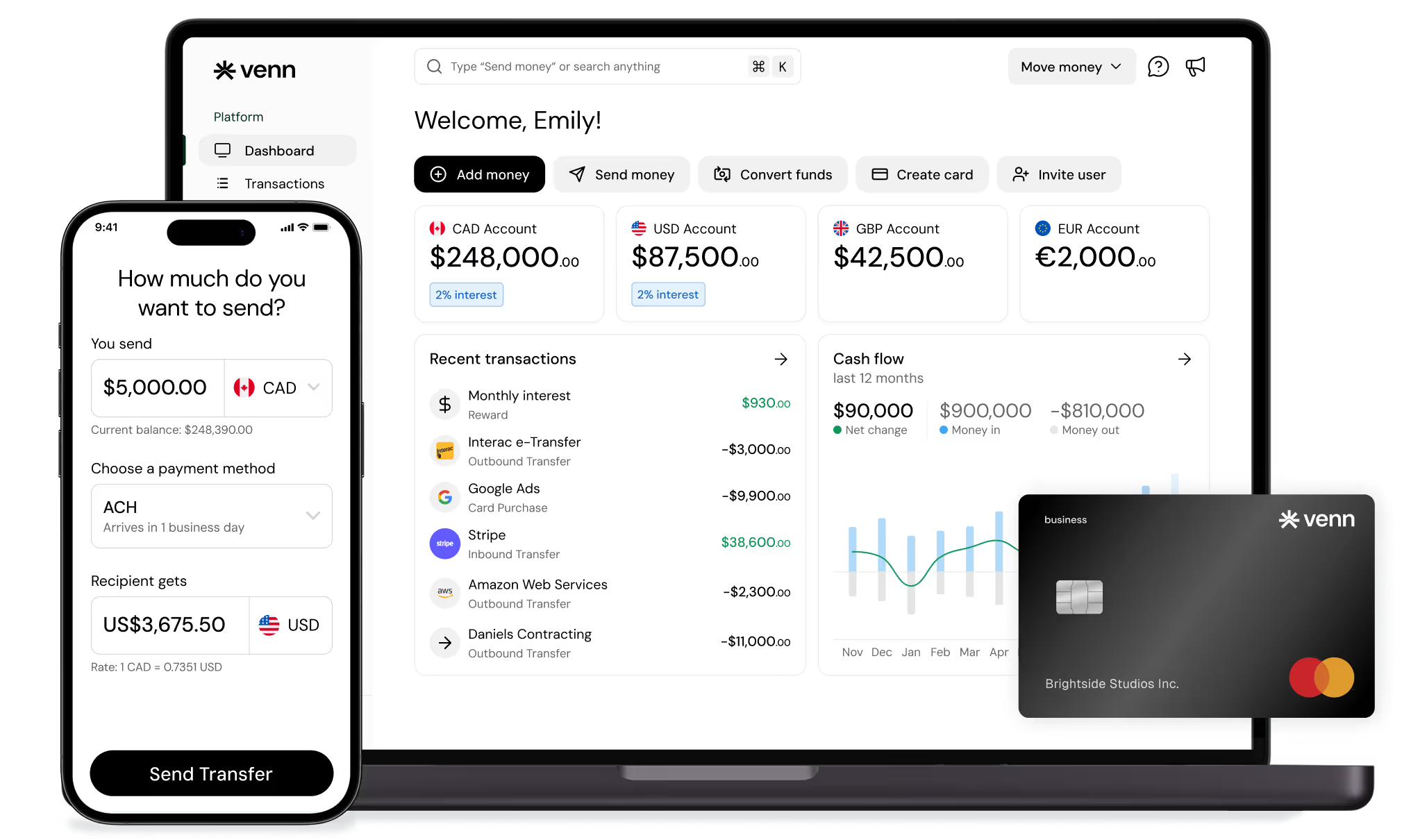
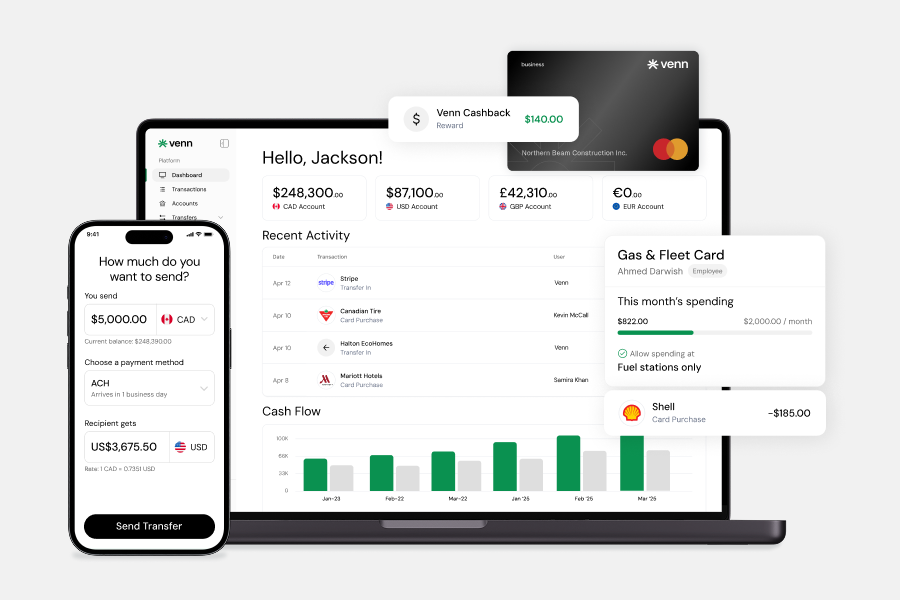
Integrated business banking platforms bring accounts, cards, and expense workflows closer together. Venn, for example, is a Canadian business banking platform that offers CAD, USD, GBP, and EUR account capabilities, a corporate card with 1% cashback, and compatibility with both QuickBooks and Xero. Through Venn's mobile app, you can access your funds, send transfers, and issue cards directly from your phone. That kind of connected setup reduces the manual handoff between card transactions and your books, which matters most for businesses with frequent card-based spend or cross-border supplier payments.
Traditional business bank accounts paired with standalone accounting software remain a common setup, particularly for businesses that prefer established banking relationships. The tradeoff is that automation often requires more manual configuration across disconnected tools.
Evaluate any tool against your actual workflow: where receipts get lost, where approvals stall, and where reconciliation takes the most time each month.
Use a Balanced Editorial Comparison
Different businesses reach for different tools when building an expense automation workflow. The table below compares six common options across the same criteria to help you assess fit based on your actual operations, not marketing claims.
No single option covers every scenario equally well. A business running mostly domestic subscriptions and payroll has different needs than one managing cross-border contractor payments across multiple currencies. Use this table as a starting point, then map each option against your highest-friction expense categories.
How to Prioritize What to Automate First
Start where your team feels the most recurring pain, not where the dollar amounts are highest. A $50 expense category that generates 40 manual entries a month costs more in admin time than a single $5,000 vendor payment that runs smoothly.
Use these four signals to rank your automation candidates:
• Volume and repeatability: High-frequency, predictable expenses like software subscriptions and utilities automate quickly and deliver immediate time savings.
• Missing receipts and approval delays: If a category consistently produces lost documentation or slow sign-offs, automation enforces policy at the point of spend rather than chasing it down afterward.
• Reconciliation effort: Categories that require significant manual matching at month-end, such as employee reimbursements or contractor invoices, are strong candidates for early automation.
• Foreign currency complexity: Cross-border expenses involving USD, GBP, or EUR add FX tracking and conversion overhead that compounds quickly without a structured workflow.
A practical starting sequence: pick one recurring expense category, one reimbursement category, and one payables category. Automate those three before expanding further. This approach builds team confidence, surfaces process gaps early, and produces measurable wins without requiring a full operational overhaul.
Suggest a Simple Framework
Prioritize by volume and friction. Start with high-volume, repeatable expenses like software subscriptions and utilities, where predictable patterns make automation straightforward. Next, target categories that generate missing receipts or slow approvals, such as meal expenses and employee reimbursements, since these create the most reconciliation drag. Save cross-border and multi-step payment workflows for the third phase, once your team has built confidence with simpler automations.
For your first rollout, choose one recurring expense category, one employee reimbursement category, and one accounts payable category. This focused approach prevents tool sprawl and gives your team a clear way to measure impact before expanding automation across the business.
Recommended Quick-Start Plan
Spread your automation rollout across four focused weeks to avoid disrupting existing workflows.
Week 1: Connect recurring subscriptions and utilities to a dedicated business card or autopay rules. Set up transaction categorization so these expenses flow into your accounting software without manual entry.
Week 2: Deploy receipt capture for employee purchases and configure your reimbursement approval workflow. Mobile submission tools reduce missing receipts and speed up payouts.
Week 3: Activate accounting sync with QuickBooks or Xero, noting that integration depth varies by platform and connected apps. Set approval thresholds and spending rules for each expense category.
Week 4: Turn attention to vendor bills and foreign currency expenses. Schedule recurring vendor payments, set up invoice approval routing, and review how cross-border transactions are captured and reconciled in your books.
Common Mistakes to Avoid
Expense automation delivers the most value when your workflows are clean before you build on them. Watch for these common missteps:
• Automating without an expense policy. Automation enforces rules, but it cannot create them. Define approval thresholds, eligible categories, and documentation requirements first.
• Using too many disconnected tools. Separate apps for receipt capture, reimbursements, and bookkeeping create reconciliation gaps. Consolidate where possible.
• Skipping approval workflows. Recurring expenses still need periodic review. Set clear thresholds so routine spend does not bypass oversight entirely.
• Treating all expense categories the same. Mileage reimbursements, vendor invoices, and cross-border payments each carry different documentation and categorization requirements.
• Neglecting FX costs on cross-border spending. Foreign currency expenses can accumulate hidden conversion costs if you route them through accounts without multi-currency support.
• Never reviewing what you have automated. Subscriptions renew, vendor rates change, and team structures shift. Schedule a quarterly review to keep your expense tracking accurate and your records audit-ready.
Keep This Section Practical
Automating before you have a basic expense policy in place creates chaos. Without clear rules on spending limits and approved categories, automation simply speeds up non-compliant purchases.
Using too many disconnected tools compounds the problem. When your receipt capture app, accounting software, and payment platform share no data, reconciliation stays manual and errors multiply. Ignoring approval thresholds is a common oversight. Set clear limits so that purchases above a defined amount trigger a review before payment, not after.
Treating all expense categories the same leads to misclassification. Meal expenses, mileage reimbursements, and software subscriptions each carry different documentation requirements and CRA treatment. Build category-specific rules into your workflow from the start.
For cross-border spending, always review FX costs. Conversion fees and markup rates can quietly inflate what looks like a routine supplier payment. Use multi-currency accounts where possible and reconcile in the original currency.
Finally, do not assume deductibility rules are consistent across all business expense categories. What applies to travel expenses may not apply to home office costs or client entertainment. Confirm tax treatment with an accountant or current CRA guidance before automating any category at scale.
Conclusion
The strongest automation wins come from the expense categories you touch most often: recurring software subscriptions, utilities, employee reimbursements, vendor bills, and cross-border payments. These are the areas where manual processes create the most drag on your team's time and your month-end close.
When evaluating tools, choose based on how well they fit your actual workflow. Consider your approval requirements, accounting software, spend visibility needs, and how your team submits receipts. A tool that looks impressive in a demo but doesn't connect to your bookkeeping creates more friction, not less.
Modern expense automation tends to work best when your business account, card spend, payments, and accounting tools operate in one connected workflow rather than across separate systems. If you're building or rebuilding that workflow, Venn is a Canadian business banking platform worth exploring. Sign up for a Venn account to see how business accounts, corporate cards, multi-currency capabilities, and QuickBooks and Xero integrations can support the automatable business expenses covered in this guide.
FAQ
Q: Which business expenses are easiest to automate first?
A: Recurring expenses like software subscriptions, utilities, and vendor bills are usually the fastest wins because they follow predictable patterns. Payment amounts and timing stay consistent, which makes it straightforward to set up automated rules, categorizations, and approvals without heavy configuration.
Q: Do I need separate software for expense automation?
A: Not always. Some businesses can automate a significant portion of their expense management through their accounting software and existing banking setup. Others with higher receipt volumes or complex approval workflows may benefit from dedicated receipt capture or accounts payable tools layered on top.
Q: Is expense automation only useful for large companies?
A: No. Small businesses often see quick, meaningful gains because automation reduces admin time and improves recordkeeping with fewer staff handling the work. Even automating one or two recurring expense categories can free up hours each month.
Q: How do multi-currency accounts help with expenses?
A: They can reduce friction for foreign currency purchases, simplify tracking across CAD, USD, GBP, and EUR balances, and remove unnecessary conversion steps for businesses with international operations. This makes reconciliation cleaner and gives finance teams a clearer view of actual cross-border spend.
---

Venn is all-in-one business banking built for Canada
From free local CAD/USD accounts and team cards to the cheapest FX and global payments—Venn gives Canadian businesses everything they need to move money smarter. Join 15,000+ businesses today.
Frequently asked questions
Everything you need to know about the product and billing.
Join 15,000+ businesses banking with Venn today
Streamline your business banking and save on your spend and transfers today
No personal credit check or guarantee.