Boost Business Productivity with Digital Banking Automation
Boost Business Productivity with Digital Banking Automation for Canadian teams. Automate expenses, approvals, reconciliation, and multi-currency payments.

Trusted by 10,000+ Canadian businesses
Business banking for Canada
Local CAD and USD accounts, corporate cards with cashback, the lowest FX rates in Canada, free local transfers, and more.
How to Boost Business Productivity with Digital Banking Automation
Updated June 2026
Introduction
Canadian business owners, finance managers, and operations teams lose significant hours each week to financial work that should not require human hands. Repetitive money movement, manual reconciliation, receipt chasing, delayed payment approvals, payroll funding coordination, foreign exchange handling, and disconnected finance systems all compound into a serious drag on productivity. For lean teams running on tight margins, that friction is not just inconvenient. It is costly.
This guide is about how to boost business productivity with digital banking automation, specifically for Canadian businesses using modern banking and finance tools to eliminate routine manual workflows. This is not about how banks automate their internal operations. It is about how your business can use the right platforms and integrations to move faster, reduce errors, and free your team from low-value admin work.
The sections ahead cover how to identify which manual workflows are costing you the most time, which processes to automate first, how different categories of banking and finance tools compare, and how to measure whether your automation efforts are actually improving productivity. Whether you run a growing startup, a multi-entity operation, or a services firm managing cross-border payments, the same core principles apply: find the friction, remove it systematically, and build financial workflows that run with minimal manual intervention.
What Is Digital Banking Automation?
Digital banking automation means using modern banking and finance tools to handle routine financial workflows without manual intervention. Instead of logging into a portal to move money or copy transaction data into a spreadsheet, your systems handle the repetitive work: scheduling recurring payments, routing invoices through approval workflows, syncing transactions to your accounting software, capturing receipts, enforcing card spend controls, and managing multi-currency workflows across CAD, USD, and other currencies.
This is a meaningful distinction. Simply having online banking access is not banking automation. Logging into a portal to check a balance or initiate a wire transfer is still a manual process. True business banking automation connects your banking accounts, corporate cards, payment approvals, and accounting tools into a single operating system where data flows automatically and rules replace repetitive decisions.
Without financial workflow automation, productivity erodes in predictable ways. Finance teams re-enter the same transaction data across multiple systems. Approvals stall because requests sit in inboxes or require back-and-forth between tools. Month-end reconciliation becomes a multi-day effort because bank records, card statements, and accounting entries never quite match. Cash flow visibility suffers when spending is scattered across disconnected accounts and card programs. For businesses making cross-border payments, FX friction adds another layer of manual work and cost.
Banking operations efficiency starts with recognizing that these problems share a common cause: workflows that depend on human effort to move information between systems that should already be connected.
The Biggest Productivity Benefits of Digital Banking Automation
Digital banking automation delivers measurable operational gains across five core areas. Here is what finance teams and business owners can realistically expect.
Less manual admin. Automated banking workflows eliminate the repetitive data entry that consumes hours each week. Instead of maintaining parallel spreadsheets and re-keying transactions across systems, your team works from a single source of truth. Fewer duplicate entries means fewer errors and less time spent correcting them.
Faster approvals and payments. Role-based payment approval workflows let the right people authorize transactions without chasing email threads or waiting on a single signatory. Payments move faster, vendors get paid on time, and your team spends less time following up on pending approvals.
Easier reconciliation. Real-time transaction feeds push data directly into accounting software, reducing the manual matching work that typically bottlenecks month-end close. Receipt matching and cleaner audit trails mean your bookkeeper or controller spends less time hunting for backup documentation and more time on higher-value work.
Better cash flow visibility. Centralized visibility across accounts, cards, and sub-accounts gives finance teams a clear picture of where money sits at any given moment. Budget monitoring becomes proactive rather than reactive, and surprise outflows become far less common when spend controls and real-time balances are in place.
Smoother cross-border operations. Canadian businesses working with international clients or suppliers benefit significantly from local currency balances in CAD, USD, or other currencies. Holding funds in the currency you need reduces unnecessary foreign exchange conversions, supports more accurate FX planning, and speeds up both vendor payments and client collections.
Which Banking Workflows Should Businesses Automate First?
Start with the workflows that consume the most time and carry the clearest return. High-frequency, repetitive tasks are the right entry point because they produce measurable gains quickly and build internal confidence in automation before you tackle more complex processes.
Expense Management and Card Spend
Expense management is often the fastest win. Issuing virtual and physical corporate cards with built-in spend controls eliminates the need to chase receipts or manually enforce policy after the fact. Teams submit expenses at the point of purchase using OCR receipt capture, and finance gets real-time visibility at the team or department level. Approval rules run automatically, so nothing slips through without the right sign-off.
Bill Payments and Recurring Transfers
Manual vendor payments create two problems: missed due dates and duplicate payments. Scheduling recurring transfers and routing vendor invoices through structured approval workflows solves both. Finance teams set payment rules once, and the system handles execution, reducing the back-and-forth that slows accounts payable cycles.
Reconciliation and Accounting Sync
Connecting your banking platform directly to QuickBooks or Xero eliminates duplicate data entry and keeps transaction categorization consistent. Real-time bank feeds mean your books reflect actual account activity without waiting for manual imports. The practical result is a faster month-end close and a cleaner audit trail throughout the year.
Multi-Currency Collections and Payments
Ecommerce brands, agencies, SaaS firms, importers, exporters, and service businesses with international clients or suppliers all face unnecessary conversion friction when they lack local currency accounts. Holding and transacting in CAD, USD, GBP, or EUR directly reduces conversion costs and speeds up both collections and outbound vendor payments. This is one area where financial workflow automation delivers compounding value over time.
Cash Segmentation and Budgeting
Sub-accounts or dedicated operating buckets let businesses ring-fence funds for tax obligations, payroll, vendor commitments, or active projects. Rather than estimating available cash from a single account balance, finance teams see exactly what is allocated and what is free to deploy. This structure supports stronger internal controls without requiring a separate budgeting tool.
How to Build a Digital Banking Automation Stack
A modern finance automation stack for Canadian businesses in 2026 typically combines several layers: a business banking platform, corporate cards, accounting software, AP and approval tools, FX and payment capabilities, and reporting features with a clear audit trail. No single configuration works for every business. The right stack depends on your payment volume, cross-border needs, team size, approval complexity, and accounting requirements.
Use this checklist when evaluating what belongs in your stack:
• CAD functionality: Full support for domestic payments, including Interac e-Transfer®, EFT, and wire transfers
• USD support: Dedicated USD account to hold and send funds without forced conversion; GBP and EUR support if you work with European clients or suppliers
• Payment rails: Access to EFT, wire, and where relevant, international payment corridors
• Approval workflows: Role-based controls so payments above a set threshold require sign-off before processing
• Accounting integrations: Direct sync with QuickBooks or Xero to eliminate duplicate data entry and accelerate month-end close
• Expense controls: Spend limits, merchant category restrictions, and virtual card issuance for team members
• Cashback or yield features: Some platforms offer cashback on card spend, which can offset operating costs for businesses with high monthly card volume
• Sub-accounts: Separate buckets for tax reserves, payroll funding, or project budgets within one platform
• Transparent fees: Clear pricing on FX conversions, wire transfers, and monthly account costs with no hidden markups
• Security controls: Multi-factor authentication, user permission tiers, and a complete audit trail for every transaction
• Business type support: Confirm whether the platform serves sole proprietors, incorporated businesses, or both, and whether it fits your industry
Businesses with straightforward domestic operations may only need a few of these capabilities. Companies managing cross-border payments, multiple team members, or high transaction volumes will benefit from a stack that covers most of this list from the start.
How Different Types of Providers Fit the Need
Canadian businesses can improve banking operations efficiency through several categories of tools, and the right fit depends on the specific workflows a business needs to address.
Traditional bank business accounts offer familiarity, branch access, and broad financial products. For businesses that need in-person service or established credit relationships, they remain a practical choice. The tradeoff is that day-to-day automation, accounting integrations, and approval workflows are often limited or fragmented across separate portals.
Digital business banking platforms are built around financial workflow automation. They typically offer tighter accounting integrations, spend controls, virtual cards, multi-currency support, and payment approval workflows in a single interface. For finance teams looking to reduce manual reconciliation or manage cross-border payments more efficiently, this category often delivers more operational value.
Accounting-led or AP-led tools bring strong workflow controls around invoice approvals, bill payments, and audit trails. They work well for businesses with complex payables processes, though they often require a separate banking layer to handle the actual movement of funds.
No single category suits every business. A company that needs branch access and a line of credit may prioritize a traditional bank. A growing services firm managing USD invoices and multi-entity approvals may find a digital banking platform better aligned with its workflow needs. An operations team focused on AP automation may benefit from layering an accounting-led tool on top of an existing banking relationship. The decision should follow the workflow, not the other way around.
Traditional Banks
Traditional bank business accounts remain a practical choice for companies that value branch access, established lending relationships, and a familiar product suite. For businesses that rely on in-person support or need access to credit facilities alongside their operating account, a traditional bank can anchor part of the financial stack.
From a productivity standpoint, however, traditional banks introduce friction at several points in the workflow. Reconciliation often requires manual exports rather than live accounting feeds. Expense management typically sits in a separate tool, creating duplicate data entry across systems. Approval processes for payments tend to be slower and less configurable, which adds turnaround time for finance teams managing high volumes of transactions. Multi-currency work and cross-border payments can carry higher operational overhead, with fewer built-in tools to manage foreign exchange efficiently.
These limitations do not disqualify traditional banks from a modern finance stack. Some businesses maintain a traditional account for credit access or payroll while supplementing it with digital tools to close the automation gaps. The practical issue is that this approach often requires more tools, more manual coordination, and more time spent keeping systems aligned.
Digital Business Banking Platforms
Digital business banking platforms connect banking accounts, corporate cards, payments, and accounting integrations into a single operational system, reducing the tool-switching that slows finance teams down.
Businesses that manage vendor payments, employee expenses, multi-currency transactions, and month-end reconciliation across separate tools often spend more time on coordination than on actual financial decisions. Platforms in this category address that friction by centralizing workflows that would otherwise require multiple logins, manual exports, and duplicate data entry.
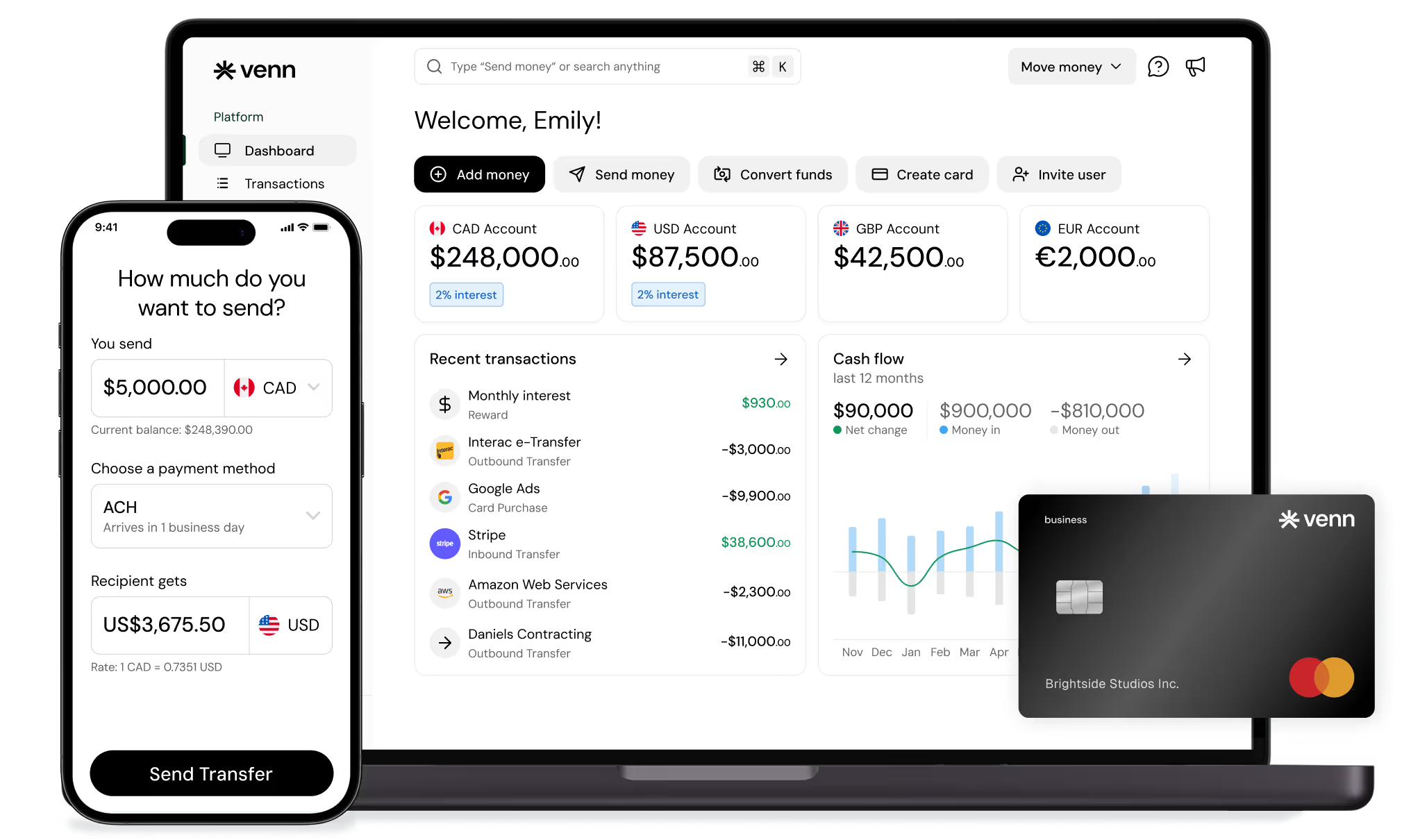
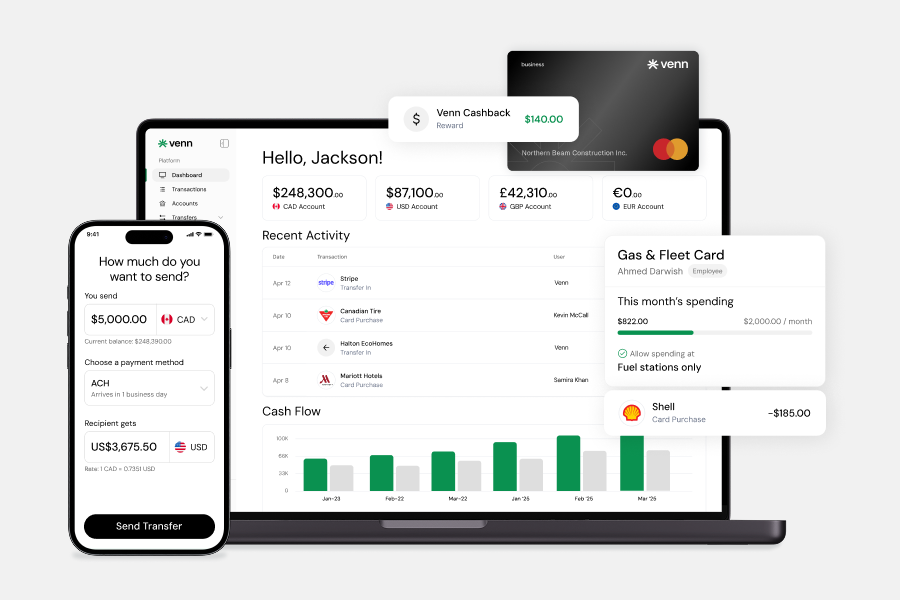
Venn is one example in this category. It offers multi-currency accounts in CAD, USD, GBP, and EUR, competitive FX rates for cross-border payments, and a corporate card that earns 1% unlimited cashback on eligible purchases. Expense management features include OCR receipt capture, spend controls, and direct integrations with QuickBooks and Xero to support cleaner reconciliation. Businesses can also send free unlimited Interac e-Transfer® payments for vendor transactions. Funds held through Venn are covered under CDIC insurance protection. Venn is not a bank.
Feature depth varies across platforms in this category. When evaluating options, assess accounting sync quality, approval controls, supported currencies, available payment rails, fee structures, and access to responsive support. The right fit depends on which workflows create the most friction in your current operations.
Accounting-Led or AP-Led Tools
Businesses with complex internal approval workflows, structured bill pay processes, vendor management requirements, or strict audit obligations may find accounting-led or AP-led tools a strong operational fit.
These platforms typically excel at invoice routing, multi-step approval chains, purchase order matching, documentation management, and audit trail generation. For finance teams managing high volumes of vendor payments or preparing for external audits, that workflow depth is genuinely valuable. Month-end close processes also benefit from the structured categorization and documentation these tools enforce throughout the billing cycle.
The limitation worth understanding is scope. Most accounting-led and AP-led tools are built around workflow management, not money movement. That means businesses often still need a separate business banking account, a corporate card program, an FX solution, and potentially a multi-currency account structure to handle cross-border payments. The tool manages the approval and documentation layer, but the actual payment infrastructure sits elsewhere.
For Canadian businesses running lean finance operations, that gap can introduce friction rather than reduce it. Connecting an AP workflow tool to a separate banking platform, a card program, and an accounting integration like QuickBooks or Xero requires careful setup to avoid duplicate data entry and reconciliation gaps. The productivity gains from strong AP automation can erode quickly if the underlying banking and payment layer remains disconnected.
Noteworthy Options for Canadian Businesses
Choosing a banking or financial workflow tool based on brand recognition alone rarely produces the best operational fit. The comparison below is an editorial framework, not a ranked product list. It organizes provider types by workflow alignment so Canadian businesses can evaluate options based on how well each fits their actual finance operations.
The table covers traditional bank business accounts, Venn, Wealthsimple Business Chequing, and AP or accounting workflow tools as a category. A fintech comparator is included only where it helps clarify a distinct workflow category, not to expand the competitive field.
Each option carries genuine strengths and real limitations. A traditional bank may suit a business that values branch access and a broad product suite. An AP or accounting-led tool may serve teams that need deep approval workflows but already have a separate banking layer in place. Venn may be a fit for businesses that want banking, corporate cards, multi-currency accounts, and accounting integrations consolidated into one operational stack. Wealthsimple Business Chequing may appeal to businesses prioritizing yield on operating balances with a straightforward account structure.
The goal is to match provider type to workflow fit, not to identify a single winner.
| Provider Type / Platform | Best Fit | Automation Strengths | Potential Limitations |
|---|---|---|---|
| Traditional bank business account | Businesses needing branch access, credit facilities, or established banking relationships | Broad product suite, familiar payment rails including Interac e-Transfer® | Slower workflow automation, fragmented UX, higher operational friction for day-to-day finance tasks |
| Venn | Businesses wanting banking, cards, payments, FX, and accounting sync in one platform | Corporate cards with spend controls, CAD/USD/GBP/EUR accounts, QuickBooks and Xero integration, sub-accounts | Newer platform; businesses with complex credit needs may require supplementary products |
| Wealthsimple Business Chequing | Businesses prioritizing yield on operating balances with simple account needs | Competitive interest on deposits, clean digital interface | More limited expense management and multi-currency workflow capabilities |
| AP / accounting workflow tools (e.g., Plooto, Dext, Hubdoc) | Finance teams needing structured approval routing, receipt capture, or bill payment automation | Strong AP controls, accounting software compatibility, audit trail features | Typically require a separate business banking account to function |
| Fintech payment platform (e.g., Wise Business) | Businesses with high-volume cross-border payments or international contractor payments | Competitive FX rates, local currency accounts in multiple regions | Not a full business banking replacement; limited CAD-native banking features |
Comparison Table
| Provider Type / Platform | Best Fit | Automation Strengths | Potential Limitations |
|---|---|---|---|
| Traditional bank business account | Businesses that need branch access, established credit relationships, or broad product suites | Familiar payment rails, established wire infrastructure | Slower workflows, fragmented UX, weaker day-to-day automation, higher fees |
| Venn | Businesses combining accounts, corporate cards, expense management, multi-currency workflows, payments, and accounting integrations in one stack | 1% unlimited cashback card, CAD/USD/GBP/EUR accounts, OCR receipt capture, QuickBooks and Xero integrations, free unlimited Interac e-Transfer® for vendor payments, competitive FX rates, funds covered under CDIC insurance protection | Not a bank; feature depth may not suit businesses needing traditional lending or branch services |
| Wealthsimple Business Chequing | Smaller businesses or sole proprietors seeking a straightforward digital account with yield on balances | High-interest savings on operating balances, simple account setup | Limited multi-currency support, fewer expense management and approval workflow features |
| AP/accounting workflow tool (e.g., Plooto, Dext, Hubdoc) | Finance teams prioritizing invoice approvals, bill payment automation, or receipt management | Strong AP controls, accounting sync, approval routing | Requires a separate banking layer; adds tool sprawl if not integrated cleanly |
| Wise Business | Canadian businesses with frequent cross-border payments or international contractor payments | Multi-currency accounts, competitive FX, local receiving accounts in multiple currencies | Not a full business banking replacement; limited domestic payment automation |
Where Venn Fits in the Productivity Conversation
For Canadian businesses looking to reduce disconnected tools and tighten financial workflows, Venn may be a fit worth evaluating. The platform combines business accounts, corporate cards, payments, FX, expense management, and accounting integrations in a single stack, which can help reduce the friction that comes from managing these functions across separate systems.
A few specific features are relevant to the productivity conversation. The 1% unlimited cashback corporate card can help businesses optimize routine operating spend while maintaining spend controls and policy enforcement at the team level. Multi-currency accounts supporting CAD, USD, GBP, and EUR workflows can help businesses with international clients, suppliers, or contractors reduce unnecessary conversion friction. Competitive FX rates may benefit businesses that regularly move money across currencies.
On the reconciliation side, Venn's direct QuickBooks and Xero integrations support cleaner accounting sync, and OCR receipt capture can help with faster, more accurate expense matching. Free unlimited Interac e-Transfer® for vendor payments removes a common per-transaction cost that adds up for businesses making frequent domestic payments. Funds are covered under CDIC insurance protection.
Venn is relevant for businesses that want fewer tools handling more of their financial workflow, particularly where expense management, multi-currency operations, and accounting automation intersect. It is one credible option among several, and the right fit depends on a business's specific payment volume, currency needs, and integration requirements.
A Simple 5-Step Implementation Plan
Adopting digital banking automation works best as a structured process, not a wholesale system overhaul. Follow these five steps to build momentum and measure real productivity gains from the start.
Step 1: Audit Your Manual Finance Work
List every repetitive financial task your team handles each week. Include invoice approvals, payment runs, receipt collection, bank reconciliation, expense reporting, and any manual data entry between your bank and accounting software. Estimate the time each task consumes. Even rough numbers, such as three hours per week on reconciliation or two hours chasing receipts, give you a baseline to measure against later.
Step 2: Prioritize the First Three Processes to Automate
Choose workflows that are high-volume and low-complexity. These deliver the fastest, clearest return. Strong starting candidates include expense management, recurring vendor payments, and bank-to-accounting reconciliation. Avoid starting with edge cases or exception-heavy processes. Quick wins build team confidence and demonstrate measurable value early.
Step 3: Connect Banking, Cards, and Accounting
Disconnected systems create duplicate data entry and introduce errors. Link your business banking platform directly to your accounting software, whether that is QuickBooks or Xero, and ensure your corporate cards feed into the same data flow. Clean, automated transaction data reduces the manual work of categorizing, matching, and correcting entries at month-end.
Step 4: Set Rules, Roles, and Controls
Define approval levels before you automate payment workflows. Assign user permissions based on role, set card spending limits by employee or department, and configure approval routing for payments above defined thresholds. Establish a clear audit trail so finance managers can review activity without chasing down team members for context.
Step 5: Track Productivity KPIs
Measure the impact of your banking automation stack against specific metrics. Track payment turnaround time, hours spent on monthly reconciliation, time to close the books each month, total admin hours saved per week, and error or exception rates in your transaction data. For businesses with international suppliers or clients, also monitor FX costs avoided by using local currency accounts rather than converting on every transaction. Review these numbers quarterly to identify where further automation can reduce friction.
Common Mistakes to Avoid
Banking workflow automation delivers real productivity gains, but only when businesses set it up thoughtfully. These five mistakes consistently undermine results.
Automating a broken process. If your approval paths are unclear or ownership is undefined, automation will accelerate the confusion. Before you connect any tools, clean up who approves what, at which spend threshold, and who owns each workflow. Automation works best when it enforces clear rules, not when it papers over missing ones.
Choosing tools based only on fees. A platform with a lower monthly cost may cost more in admin hours, manual reconciliation, and disconnected systems. Evaluate the productivity value of a tool alongside its price. Time saved on month-end close or payment approvals often outweighs a small pricing difference.
Ignoring integration gaps. Your banking platform, corporate cards, payment workflows, and accounting software need to share data cleanly. If any layer requires manual export or re-entry, you have not automated the process. Confirm that your systems connect before committing to a stack.
Overlooking cross-border needs. Many Canadian businesses handle USD invoices, international suppliers, or foreign contractors. If you add multi-currency capabilities after the fact, you often rebuild workflows from scratch. Assess your FX and cross-border payment requirements early.
Skipping change management. New tools fail when teams do not understand the updated workflows. Train staff on approval rules, card policies, and reconciliation steps. Automation paired with clear roles, audit trails, and accountability produces consistent results. Without that foundation, adoption stalls and errors persist.
Conclusion
Boosting business productivity with digital banking automation comes down to three practical outcomes: less manual work, stronger financial control, and clearer visibility into where your money is moving. You do not need to automate everything at once to see real gains.
Start with one or two workflows that create the most friction today. Expense management, bill payments, and reconciliation are consistently the highest-value starting points for Canadian businesses. Each one has a measurable impact on admin hours, error rates, and month-end close speed. Once those workflows run cleanly, expanding into multi-currency payments or approval routing becomes significantly easier.
The right banking setup makes this possible. If your current business banking platform requires manual exports, duplicate data entry, or disconnected card and accounting tools, it is worth evaluating whether it can actually support the automation your team needs. Comparing modern business banking options, or signing up for a Venn account if the fit is relevant to your workflow, is a practical next step toward building a more productive financial operation.
FAQ
Q: What is digital banking automation for businesses? A: Digital banking automation means using modern financial tools to handle routine money workflows without manual intervention. This includes recurring bill payments, expense categorization, accounting sync, approval routing, and multi-currency payment processing. The goal is to reduce the time your team spends on repetitive finance tasks so they can focus on higher-value work.
Q: Which finance tasks should a small business automate first? A: Start with expense management, bill payments, and reconciliation. These three workflows tend to carry the highest admin burden and deliver the clearest time savings. Automating card spend controls and connecting your banking platform to QuickBooks or Xero can eliminate duplicate data entry and speed up month-end close significantly.
Q: Can digital banking automation help with cross-border payments? A: Yes, particularly for businesses that regularly send or receive USD, GBP, or EUR. Holding local currency balances reduces unnecessary conversion friction and lowers FX costs. Automated payment workflows also cut the manual steps involved in routing international vendor payments or collecting from foreign clients.
Q: Do Canadian businesses need a separate tool for expense management? A: Not always. Integrated platforms that combine business accounts, corporate cards, and spend controls in one place can reduce tool sprawl and keep your data cleaner. A separate expense tool may add value if your banking platform lacks receipt capture, policy enforcement, or team-level visibility, but consolidating where possible simplifies reconciliation.
Q: How do I measure ROI from banking automation? A: Track hours saved per week on manual finance tasks, the time it takes to complete month-end close, error and exception rates in reconciliation, and FX costs avoided on cross-border transactions. Improvements in cash flow visibility and faster payment approval turnaround are also strong indicators that your automation setup is delivering real operational value.
Legal / Disclosure Notes
Venn Mastercard Charge Card is issued by Peoples Trust Company under licence from Mastercard International Incorporated. Mastercard is a registered trademark, and the circles design is a trademark of Mastercard International Incorporated.
Funds held through Venn are covered under CDIC insurance protection. Venn is not a bank and does not hold deposits directly.
Any claims regarding FX rates or fee comparisons reflect publicly available information at the time of publication and are subject to change. Readers should verify current rates and terms directly with each provider before making financial decisions.
--- **Disclaimer:** This publication is provided for general information purposes only and does not constitute legal, tax, financial, or other professional advice from Venn Software Inc., its subsidiaries, or its affiliates, and is not a substitute for advice from a qualified professional. All comparisons and competitor information reflect publicly available information believed accurate as of June 1, 2026; features, pricing, rates, and terms referenced are subject to change and may differ at the time you read this. All product names, logos, and brands referenced are the property of their respective owners; their mention does not imply affiliation with or endorsement by Venn. Any comparative statements reflect Venn's views and are provided to help readers evaluate options. We make no representations, warranties, or guarantees, express or implied, that the content is accurate, complete, or up to date.
Venn is all-in-one business banking built for Canada
From free local CAD/USD accounts and team cards to the cheapest FX and global payments—Venn gives Canadian businesses everything they need to move money smarter. Join 10,000+ businesses today.
Frequently asked questions
Everything you need to know about the product and billing.
Join 10,000+ businesses banking with Venn today
Streamline your business banking and save on your spend and transfers today
No personal credit check or guarantee.