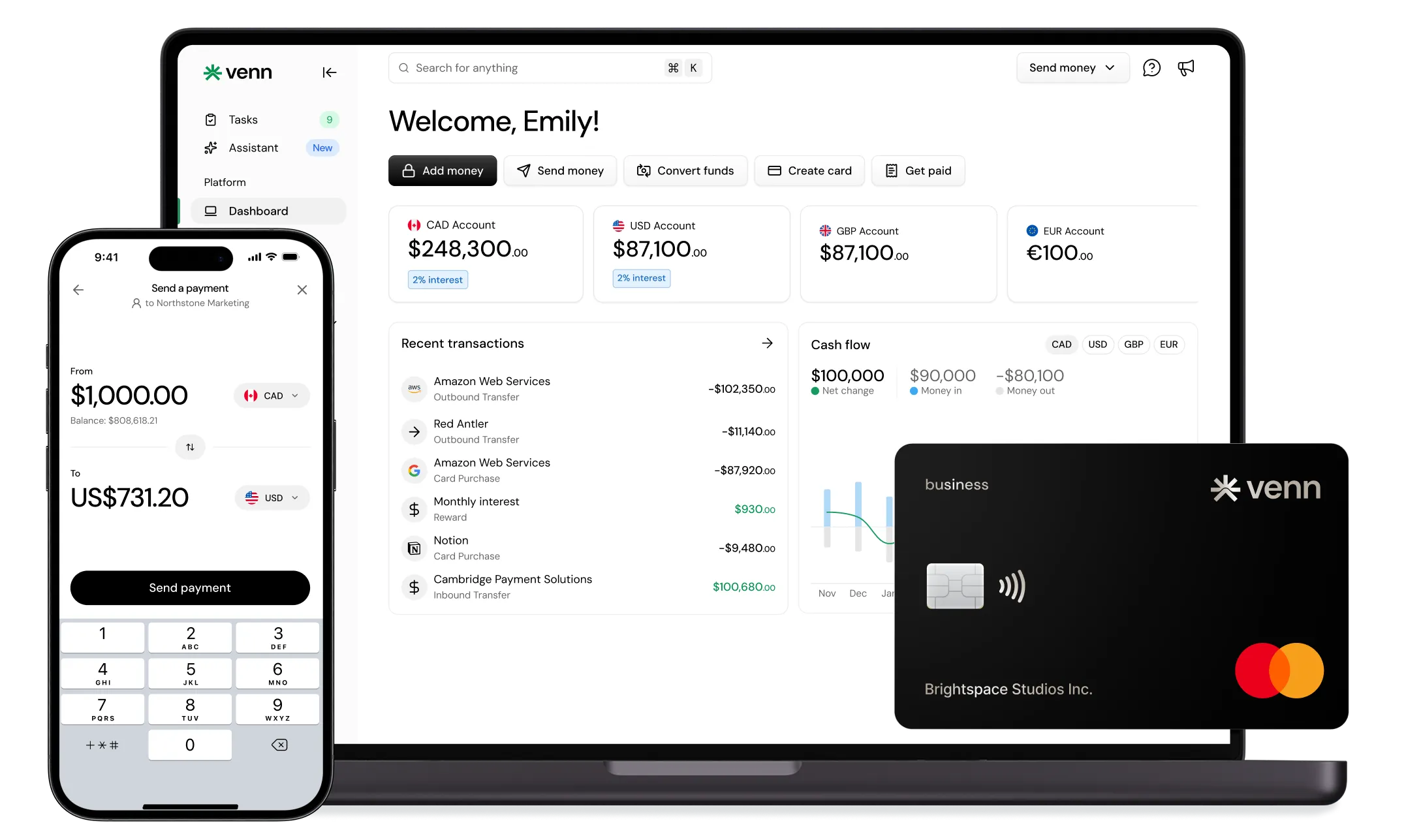
Temporary Card Spending Limits: Setup & Management Guide
Temporary Card Spending Limits: Setup & Management Guide for Canadian teams. Learn caps, expiry rules, approvals, and monitoring to control spend without delays.

Trusted by 15,000+ Canadian businesses
Business banking for Canada
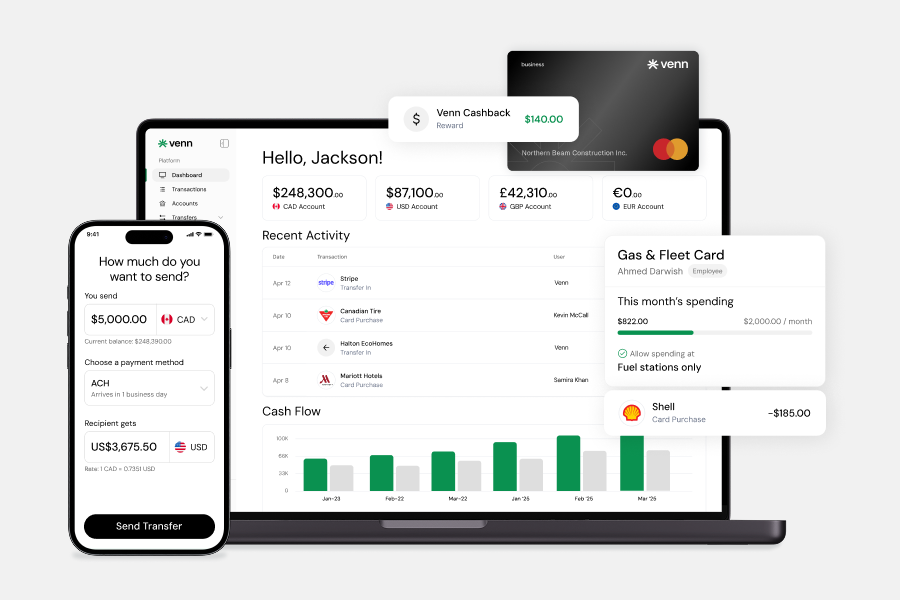
Local CAD and USD accounts, corporate cards with cashback, the lowest FX rates in Canada, free local transfers, and more.
In 2026, Canadian businesses face a familiar tension: teams need purchasing flexibility, but finance still needs clear controls before money leaves the business. A project lead may need to buy supplies today. A sales employee may need a travel budget for next week. A marketing team may need room to test a vendor payment. Open-ended card access solves the first problem while creating the second.
Temporary card spending limits are short-term controls that cap how much someone can spend on a business card, employee card, or virtual card for a defined purpose or period. They give your team room to act without leaving the door open after the need has passed.
This guide explains how these controls work, where they fit into card spend management, and how to use them without creating approval delays. You'll find key definitions, practical setup steps, management practices, risk controls, and a framework for evaluating Canadian card and spend-management options.
What Are Temporary Card Spending Limits?
Instead of giving a team member open-ended card access, you set a defined allowance tied to a specific need — a purchase amount, date range, vendor category, trip, event, or project budget. A finance lead might approve a $1,500 limit for a conference, a single-use cap for a software purchase, or virtual card spending limits for a campaign running until month-end. Once the purchase happens or the approved window closes, the temporary controls expire automatically or return to the card's standard settings.
This differs from a permanent card limit, which sets the ongoing ceiling for regular use. Employee card limits might stay in place month over month for routine expenses, while temporary limits handle exceptions, one-time approvals, or short budget windows. Businesses often use both together, keeping daily spending practical while maintaining tighter control over higher-risk or time-sensitive purchases.
Temporary Limits, Virtual Cards, And Employee Cards
A virtual card, an employee card, and a temporary limit each solve a different part of the same card spend management problem. A virtual card is a digital card number your team can use for online purchases, vendor payments, or subscription management. An employee card is assigned to a specific team member, typically for role-based spending such as travel, supplies, or client expenses.
A temporary spending limit is the control layer. It can apply to either card type, depending on who needs access and how much oversight the purchase requires. A Canadian business might issue a virtual card to a contractor and pair it with a short expiry window, or raise an employee card limit for an approved project budget.
Used together, these tools give finance teams clearer accountability without routing every purchase through a manual approvals workflow.
Why Businesses Use Temporary Card Spending Limits
Waiting for reimbursements slows work down. Temporary card spending limits give employees room to act while keeping the business in control of the approved budget — and for Canadian SMBs, that balance is practical in several ways.
A capped limit reduces overspending by tying card access to a specific amount and business purpose. It also lowers the risk of accidental misuse, such as an employee charging a personal item or selecting the wrong payment method for a subscription. When a card is exposed through a compromised merchant or a phishing attempt, a lower temporary limit reduces the amount at risk.
These controls work best when they connect to team spend policies and approval workflows. Finance can approve a campaign budget, contractor purchase, or travel allowance, then match the limit to that approval. The result: fewer reimbursement forms, cleaner card limit monitoring, and expense records that are easier to review at month-end.
Common Workflows For Temporary Card Limits
Employee travel works well with a date-based limit that runs from the day before departure to the day after return. A Toronto sales manager attending meetings in Vancouver might receive a $1,800 cap for flights, hotel, meals, and ground transportation, with the limit expiring automatically after the trip.
One-time software purchases suit a vendor-specific virtual card spending limit. If your operations team needs a $900 annual subscription to a U.S. project management tool, create a card for that vendor and cap the charge at the approved amount, including a small buffer for foreign exchange.
Contractor supplies often work best with a short weekly limit. A contractor buying materials for an Ottawa office refresh could receive a $1,200 card limit for approved hardware store purchases during the project window.
Paid media campaigns need tighter pacing. Set a monthly spending limit for Meta, Google, or LinkedIn ads that matches the approved campaign budget, then adjust only after a performance review.
Event and project budgets benefit from separate cards. For a Calgary trade show, assign one card for booth services and another for staff meals. Recurring vendor charges can stay under a fixed ceiling — for example, $250 per month for shipping software or cloud storage.
Types Of Temporary Card Spending Limits
A strong control setup usually combines amount caps, timing rules, and usage restrictions. The right structure depends on how predictable the spend is and how much discretion the cardholder needs.
Per-Transaction Limits
Use a per-transaction limit when an employee needs approval for a single purchase — one-off equipment, software, repairs, or client-related expenses where finance wants to cap each charge without opening broader card access.
Daily Spending Limits
A daily spending limit fits short-term operational needs, especially when spend may happen across several small purchases in one day. It gives teams room to act while containing exposure if a card is lost, misused, or compromised.
Weekly Spending Limits
Choose a weekly spending limit for campaign budgets, field work, or temporary team assignments. Weekly controls create a practical budget window without requiring finance to approve every individual purchase.
Monthly Spending Limits
A monthly spending limit suits recurring charges such as subscriptions, vendor tools, or department-level operating costs. If the vendor bills monthly, the limit should match the approved budget with only a small buffer for taxes or usage changes.
Time-Based Expiry Limits
For travel, short projects, events, or trial periods, set the limit to expire on a specific date. Time-based expiry reduces stale access and keeps card spending limit management aligned with the actual business need.
Merchant Category Restrictions
When the risk sits in where the card can be used, add merchant category restrictions. A card can allow business supplies, for example, while blocking entertainment, cash-like transactions, or unrelated retail purchases.
Vendor-Specific Or Purpose-Built Cards
For clearer accountability, assign a card to one vendor, employee, project, or department. Purpose-built cards simplify card limit monitoring because each transaction has a defined owner and business reason.
How To Set Up Temporary Card Spending Limits
Step 1: Define the Spending Use Case
Start with the business reason for the card access. Who needs to spend — an employee, contractor, department lead, or project owner? What will they purchase, and does it match an approved budget?
Next, identify the spend pattern. A one-time vendor payment needs different temporary card controls than a recurring software subscription. If the purchase involves a U.S. vendor, international travel, or billing in another currency, flag the cross-border component before setting the limit.
Step 2: Pick the Right Card Type
Match the card to the risk and purpose. An employee card works for team members who need repeat access within policy. A virtual card is often better for online purchases or vendor payments where a separate card number adds a useful layer of control.
For tightly scoped spend, use a single-purpose card tied to one vendor, project, or purchase category. If your business pays international vendors, a multi-currency card setup ensures the card aligns with the currency of the transaction.
Step 3: Choose the Limit Structure
Set the control before issuing access. The amount cap should reflect the approved spend, with only a small buffer if prices may vary.
Then define:
• Time window: when the limit starts and expires
• Category restrictions: which merchant types are allowed
• Approval rules: who can raise, renew, or remove the limit
• Access type: single-use for one purchase, or ongoing for approved recurring spend
This is the core of spending limit setup — keeping the card useful without creating open-ended exposure.
Step 4: Assign an Owner and Approval Path
Every temporary limit needs a clear owner. Assign responsibility to the person requesting the spend, then define who approves it. For higher-risk purchases — travel spending or new supplier payments, for example — route approvals through finance or a budget owner before access changes.
Step 5: Turn On Alerts and Receipt Capture
Real-time card controls only work if your team monitors activity as it happens. Enable alerts for approved purchases, declined transactions, and attempted spend above the limit.
Require receipt capture at the point of purchase. That gives finance the context needed for card limit monitoring, faster reconciliation, and cleaner employee expense management.
How To Choose The Right Limit Amount
Start with the approved budget, not the maximum card access available. If a manager approves $750 for a vendor payment, the temporary card spending limit should sit at $750 — not $2,000 "just in case." Tying the limit to business intent makes card spend management easier to defend during review.
Add a buffer only when the purchase genuinely needs one. For Canadian businesses, that may include GST/HST, foreign exchange movement, hotel incidentals, tips, or variable travel costs. Keep the buffer specific — 5% to 10% — rather than open-ended.
Before setting employee card limits, run through this quick decision framework:
• Known vendor or unknown vendor: lower limits work for untested vendors until finance confirms the charge pattern.
• One-time or recurring: one-time purchases should match the approved amount, while recurring spend may need a monthly ceiling.
• Domestic or international: cross-border spending may need room for exchange-rate movement.
• Fixed price or variable spend: fixed invoices need tighter caps than meals, taxis, or travel.
• Employee-led or finance-led: employee-led purchases usually need tighter guardrails than finance-managed vendor payments.
Best Practices For Managing Temporary Card Spending Limits
Review active cards on a weekly or monthly cadence, depending on transaction volume. Look for open limits tied to completed projects, unused virtual cards, and employee card limits that no longer match current responsibilities. Stale access creates avoidable exposure, particularly when cards remain connected to software trials, ad platforms, or cross-border vendors.
Where your card platform supports it, use automatic expiry for temporary limits. A limit that closes after a trip, event, or vendor payment reduces the need for manual follow-up and keeps card limit monitoring from becoming a month-end scramble.
Separate spend as close to the source as possible. Assign employee cards to named people, use vendor-specific cards for recurring subscriptions, and create department or project cards when a budget has a clear owner. This structure gives finance teams cleaner reporting and makes exceptions easier to spot.
Turn on real-time notifications for approvals, declined transactions, and unusual spend patterns. If your team sees an unexpected USD charge from a cross-border vendor, they can investigate before the accounting close. Pair alerts with receipt upload prompts so employees capture documentation while the purchase is still fresh.
Finally, sync card data into your accounting tools to reduce manual entry and improve reconciliation. For Canadian businesses paying vendors in USD, GBP, or EUR, multi-currency controls can also help match card spend to the right currency workflow and reduce unnecessary conversion friction.
Common Mistakes To Avoid
Setting temporary limits too high "just in case" creates more exposure than the purchase requires. A large buffer may feel convenient, but it weakens the control and can turn a small approval into an open-ended spending window.
Using one shared card for travel, software, supplies, and vendor payments makes reconciliation harder. Finance has to untangle who spent what, which project it belonged to, and whether the purchase matched the approval — and accountability suffers when a charge needs follow-up.
Old access is another common gap. A card limit that stays active after a trip, campaign, or contractor project creates lingering exposure, especially if nobody owns the closeout step.
Amount limits alone also leave room for misuse. Without merchant category restrictions, a card approved for client meals might still work for unrelated online purchases.
Finally, card controls should reflect your expense policy, approvals workflow, and documentation rules. When those operate separately, employees follow the card settings instead of the company's actual spending expectations.
What To Look For In A Business Card Or Spend Setup
If your finance team adjusts access often, real-time card controls matter more than a high default limit. You should be able to raise or reduce a temporary card spending limit — or pause and remove it entirely — without waiting for a branch visit or next-day processing.
Match the setup to how people actually spend. Virtual cards work well when spend is tied to a vendor or subscription, while employee cards suit team members who need recurring access. Expiry controls help ensure a limit closes when the budget window ends.
For stronger card spend management, look for merchant category restrictions that align with your expense policy. Approval workflows should route exceptions to the right manager before spend happens, not after month-end review. Receipt capture should connect each transaction to proof of purchase while details are still fresh.
If your team works from the field, mobile access is essential for card limit monitoring and receipt uploads. Accounting integration reduces manual reconciliation, especially when card data syncs with your chart of accounts. For Canadian businesses paying international vendors, multi-currency support makes cross-border spending easier to track and approve.
Comparison Of Business Card And Spend-Management Options
If your team needs temporary card spending limits, compare how each setup supports card spend management, accounting workflows, and day-to-day control.
How Temporary Card Spending Limits Fit Into A Broader Finance Stack
Temporary card spending limits help control employee purchases, but they don't replace a complete finance workflow. A purchase still needs the right approval, receipt, vendor record, tax treatment, and accounting category. Without that structure, card spend management can reduce risk at the point of purchase while leaving finance teams with cleanup at month-end close.
If your team pays suppliers through accounts payable, reimburses employees for out-of-pocket costs, and manages recurring software subscriptions, card controls should connect to those processes. Vendor payments may belong outside card rails, while subscriptions need ownership reviews and renewal tracking. Reimbursements need policy checks so employees understand when to use a company card and when to submit a claim.
Some Canadian businesses prefer integrated platforms that bring card controls into the same operating environment as their business accounts, so payments, FX workflows, and accounting sync all support the same source of truth. Venn is one example in this category. It includes built-in expense management features and OCR receipt capture for documentation. For cross-border activity, it offers competitive plan-tiered FX rates. For domestic vendor payments, free unlimited Interac e-Transfer® can reduce reliance on separate payment tools. Eligible deposits are CDIC-protected, which can matter when evaluating how operating funds are safeguarded.
Conclusion
Temporary controls work best when they match how your business actually spends. Used well, they let Canadian teams approve purchases, fund projects, and support employees without opening the door to unnecessary card exposure.
Use this guide as a practical reference for evaluating your current process. Start with workflow complexity, team structure, and spend type. Then look at how approvals happen, who monitors card activity in real time, and whether accounting integration supports clean reconciliation. If your business pays international vendors or manages travel, cross-border purchasing should also shape your card spend management approach.
A useful next step is to review your company expense policy and assess whether your current card setup supports temporary controls with the right balance of speed, oversight, and accountability. Sign up for Venn
FAQ
Q: What is a temporary card spending limit?
A: A temporary card spending limit is a short-term cap placed on a business card, employee card, or virtual card for a specific purchase, project, trip, or budget window. It helps teams approve spending without leaving open-ended access in place.
Q: Can virtual card spending limits be used for vendor payments and subscriptions?
A: Yes. Virtual card spending limits are often practical for vendor payments, subscriptions, one-time purchases, and project budgets because finance teams can set a defined cap without issuing another physical card.
Q: What is the difference between a per-transaction limit and a monthly card spending limit?
A: A per-transaction limit caps the amount of each individual purchase. A monthly limit caps total card spend over the month, making it useful for recurring budgets or ongoing employee card limits.
Q: Can temporary card spending limits be used for travel expenses?
A: Yes. For travel spending, temporary card controls can align the limit with approved travel dates, expected costs, and relevant merchant categories.
Q: What features should I look for in a card spending limit solution?
A: Look for real-time card controls, clear approval workflows, receipt capture, and accounting integration. If your team pays international vendors or travels often, multi-currency support can also improve card spend management.
Legal Disclaimer
This publication is provided for general information purposes only and does not constitute legal, tax, financial, accounting, or other professional advice. Information about temporary card spending limits and related business practices may not apply to every organization or situation. Canadian businesses should consult qualified professional advisors before making decisions based on their specific circumstances, obligations, and risk requirements.
---
**Disclaimer:** This publication is provided for general information purposes only and does not constitute legal, tax, financial, or other professional advice from Venn Software Inc., its subsidiaries, or its affiliates, and is not a substitute for advice from a qualified professional. All comparisons and competitor information reflect publicly available information believed accurate as of June 1, 2026; features, pricing, rates, and terms referenced are subject to change and may differ at the time you read this. All product names, logos, and brands referenced are the property of their respective owners; their mention does not imply affiliation with or endorsement by Venn. Any comparative statements reflect Venn's views and are provided to help readers evaluate options. We make no representations, warranties, or guarantees, express or implied, that the content is accurate, complete, or up to date.

Venn is all-in-one business banking built for Canada
From free local CAD/USD accounts and team cards to the cheapest FX and global payments—Venn gives Canadian businesses everything they need to move money smarter. Join 15,000+ businesses today.
Frequently asked questions
Everything you need to know about the product and billing.
Join 15,000+ businesses banking with Venn today
Streamline your business banking and save on your spend and transfers today
No personal credit check or guarantee.