How to Start an Online Business in Canada Step by Step
How to start an online business a guide to getting started in Canada. Follow 2026 steps for setup, taxes, payments, shipping, and clean bookkeeping fast.

Ahmed Shafik
Co-founder


Trusted by 15,000+ Canadian businesses
Business banking for Canada
Local CAD and USD accounts, corporate cards with cashback, the lowest FX rates in Canada, free local transfers, and more.
Starting an online business in Canada has never been more accessible. With the right tools and a clear roadmap, you can go from idea to first sale in weeks rather than months. The challenge isn't getting started. It's getting the fundamentals right so you can scale without scrambling to fix your registration, taxes, or financial operations later.
This guide walks you through every step: choosing your business model, registering properly, setting up taxes and bookkeeping, accepting payments, handling shipping and returns, and building a modern operational stack. Whether you're launching an ecommerce store, selling digital products, or offering services online, these steps apply to you.
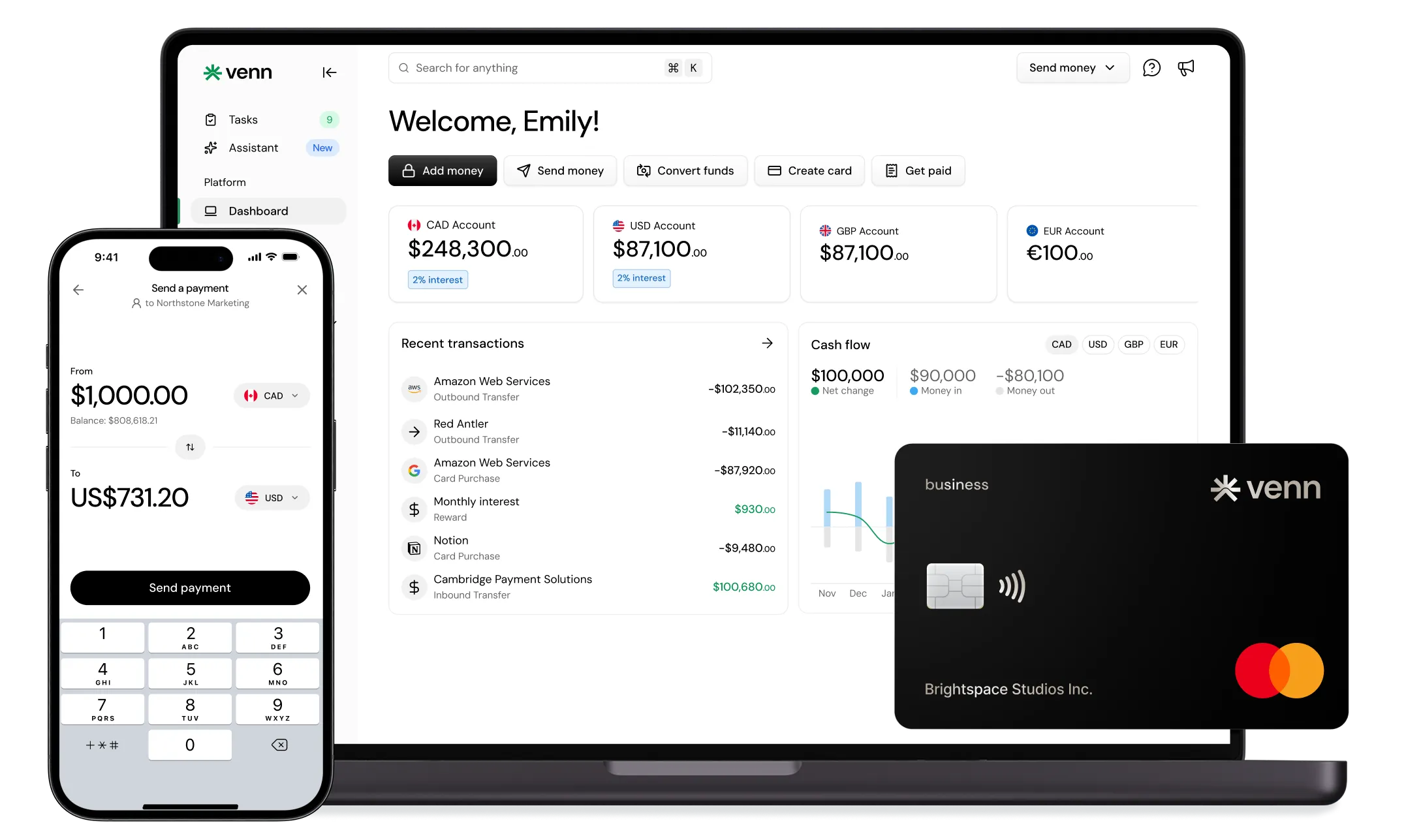
Building your financial infrastructure early matters more than most founders realize. Tracking profitability, managing cash flow, and separating business expenses from personal spending creates the foundation for sustainable growth. Platforms like Venn give Canadian businesses a modern banking layer with CAD, USD, EUR, and GBP accounts, plus tools that simplify spending and bookkeeping from day one.
Step 1: Choose a Business Model That Fits How You'll Make Money
Your business model determines everything from your startup costs to your daily operations. Pick the wrong one, and you'll fight against your own structure as you try to grow.
Options to Consider
Ecommerce (physical products): You source, store, and ship tangible goods. Higher startup costs and operational complexity, but strong customer loyalty potential and repeat purchase opportunities.
Digital products (courses, templates, downloads): Near-zero marginal cost per sale after creation. Excellent margins, but requires marketing investment and ongoing content updates.
Services (freelancing, consulting, agencies): Sell your expertise directly. Lower startup costs, but income scales with your time until you build a team.
Marketplace-first vs. your own storefront: Selling on Etsy, Amazon, or similar platforms gets you traffic immediately but limits your brand control and margins. Your own store requires more marketing but builds long-term equity.
Validation Checklist
Before investing significant time or money, answer these questions:
• Who is your specific buyer, and what problem are you solving for them?
• What price point makes sense given your costs and competitive landscape?
• How will you deliver the product or service?
• What are your unit economics? Calculate COGS, shipping, platform fees, and expected return rates.
Understanding your margins matters because FX rates, payment processing fees, and shipping costs can swing profitability dramatically. Set up your finances to track these categories cleanly from the start.
Step 2: Name Your Business and Secure Your Domain
Your business name and domain create your first impression. Get them right before you build anything else.
Naming Basics
Choose a name that's memorable, easy to spell, and searchable. Check that it's not already trademarked or in use by a similar business. Consistency across your business name, domain, and social handles builds trust and makes you easier to find.
Domain and Trust
A professional domain signals legitimacy. For Canadian businesses targeting local customers, a .ca domain can boost trust and may help with local search visibility. Secure your domain early, even if you're not ready to launch your site.
Step 3: Register Your Business in Canada
Proper registration protects you legally and opens doors to business banking, payment processing, and supplier accounts.
Pick a Structure
Sole proprietorship: Simplest to set up and maintain. You report business income on your personal tax return. No legal separation between you and the business, which means personal liability for business debts.
Partnership: Similar to sole proprietorship but with multiple owners. Requires a partnership agreement to clarify responsibilities and profit sharing.
Corporation: A separate legal entity from you. More complex and costly to set up and maintain, but offers liability protection and potential tax advantages. Consider incorporation if you're taking on significant liability, seeking investors, or planning substantial growth.
Registration Checklist
• Complete a business name search to ensure your name is available
• Register your business name with your province (requirements vary)
• Determine if federal incorporation makes sense for your situation
• Keep records of all registration documents
Separate your business and personal finances immediately. This isn't optional. Mixed finances create bookkeeping nightmares, complicate tax filing, and can jeopardize your liability protection if you're incorporated.
Venn provides the business banking layer that makes this separation clean. You get a CAD account for day-to-day operations, a corporate card with 1% unlimited cashback on all spending, and integrations with QuickBooks and Xero that keep your bookkeeping organized from the start.
Step 4: Set Up Your Taxes and Bookkeeping
Tax compliance and clean books prevent the panic that hits unprepared founders every spring. Set these up before your first sale.
CRA Setup Essentials
CRA Business Number (BN): Your unique identifier for all interactions with the Canada Revenue Agency. You'll need this for payroll, GST/HST, and import/export activities.
GST/HST Registration: Generally, businesses must register once they exceed $30,000 in taxable supplies over four consecutive calendar quarters. However, registering voluntarily before reaching this threshold can make sense if you want to claim input tax credits on business purchases. Consult an accountant to determine the right timing for your situation.
Bookkeeping Setup
Track these categories from day one:
Revenue: Sales, refunds and chargebacks, shipping income
Expenses: COGS and inventory, shipping and fulfillment, software subscriptions, advertising, contractor costs, FX fees, payment processing fees
If you want your bookkeeping to be painless, choose a financial stack that connects. Venn integrates with QuickBooks and Xero, automatically syncing transactions and supporting payables automation. This means your ad spend, software subscriptions, contractor payments, and inventory purchases flow into your accounting system without manual data entry.
Step 5: Build Your Storefront and Checkout
Your storefront is where browsers become buyers. Speed and trust determine your conversion rate.
Choose a Selling Channel
Platforms like Shopify and WooCommerce let you launch quickly with professional, mobile-friendly checkout experiences. Marketplaces like Amazon and Etsy provide built-in traffic but take larger fees and limit your brand control.
For most new online businesses, start where you can launch fastest and validate demand before investing in a fully custom solution.
Must-Have Trust Elements
• Clear, accurate product descriptions and images
• Visible shipping times and costs
• Easy-to-find returns policy
• Secure checkout indicators
• Multiple contact options
Plan for payment settlement timing and cash flow. Revenue doesn't hit your account instantly, and managing expenses while waiting for payouts requires discipline. Choose financial tools that help you track spending and maintain cash buffers during the ramp-up period.
Step 6: Accept Payments
Payment processing directly impacts your margins and customer experience. Get this right, and you'll convert more sales while keeping more of each transaction.
Common Payment Methods for Canadian Online Businesses
Payment processors: Stripe, Square, and similar services handle credit and debit card transactions. Compare fees carefully, as they vary by volume and card type.
Invoicing: For services and B2B sales, professional invoicing with multiple payment options speeds up collections.
Fraud and chargeback management: Built-in fraud detection matters. Chargebacks cost you the sale plus fees, so prevention is worth the investment.
The Multi-Currency Reality
If you sell to US customers or pay for software, inventory, or services in USD, currency conversion eats into your margins. Every conversion carries fees, and unfavorable exchange rates compound the problem.
The solution is holding and operating in multiple currencies rather than converting everything to CAD immediately. Venn provides local currency accounts in CAD, USD, EUR, and GBP, allowing you to receive payments in the customer's currency and pay suppliers in theirs without unnecessary conversions.
For businesses using Stripe, Shopify Payments, or PayPal, this flexibility means you can receive USD payouts directly into a USD account, pay your US-based suppliers from that same account, and only convert to CAD when you actually need Canadian dollars.
Step 7: Shipping, Fulfillment, and Returns
Shipping and returns directly affect customer satisfaction, repeat purchases, and your bottom line. Plan these carefully.
Shipping Decisions
Ship yourself: Lower costs at low volume, but time-consuming as orders grow. Makes sense when you're validating demand and learning what customers expect.
Third-party logistics (3PL): Higher per-order costs, but frees your time and scales easily. Consider switching when shipping takes more than a few hours daily or when you're ready to expand geographically.
Control costs by negotiating carrier rates, optimizing packaging dimensions, and setting clear delivery time expectations with customers.
Returns and Exchanges
Your returns policy should specify:
• Return window (14, 30, or 60 days)
• Acceptable condition for returns
• Who pays return shipping
• Refund timing and method
• Exchange process
Returns affect cash flow more than most founders anticipate. Build a reserve for returns and refunds, especially during high-volume periods.
Using a business card for shipping expenses earns you 1% unlimited cashback on operational spending while keeping these costs separate and trackable. Venn's corporate card handles this automatically, with expense categorization that flows into your accounting system.
Step 8: Legal Pages and Compliance Basics
Canadian online businesses need specific legal pages and must comply with federal privacy and marketing regulations. This isn't legal advice, but here's what you need to research.
Website Policies Commonly Needed
• Privacy policy: Explains how you collect, use, and protect customer data. PIPEDA (Personal Information Protection and Electronic Documents Act) sets the federal standard.
• Terms of service: Defines the rules for using your website and purchasing from you.
• Returns and refunds policy: Clear terms prevent disputes and chargebacks.
• Contact information: Required for trust and often for legal compliance.
Email and SMS Marketing Compliance
CASL (Canada's Anti-Spam Legislation) requires express or implied consent before sending commercial electronic messages. Include clear unsubscribe options in every message and honor opt-out requests promptly.
Consider having a lawyer review your policies, especially as you scale or enter regulated industries.
Step 9: Build Your Modern Business Stack
The right tools working together reduce friction, save time, and give you visibility into what's actually happening in your business.
The Recommended Stack
• Storefront + analytics: Shopify, WooCommerce, or similar with Google Analytics
• Payments: Stripe, Square, or platform-native processing
• Shipping and returns: Carrier integrations plus returns management
• Banking + spend management: Venn
• Accounting: QuickBooks or Xero
Venn serves as the core banking layer that connects your cash flow, spending, FX operations, and accounting. Instead of juggling multiple tools that don't talk to each other, you get a unified financial foundation that scales with your business.
30/60/90-Day Launch Plan
First 30 Days
• Validate your offer with real customer feedback
• Register your business and secure your domain
• Set up your storefront MVP
• Choose your payment processor
• Open your Venn business account and connect your accounting software
Days 31–60
• Launch initial marketing campaigns
• Refine product pages based on early data
• Implement email marketing flows (CASL-compliant)
• Finalize shipping rates and returns policy
Days 61–90
• Analyze margins and optimize pricing
• Expand to additional sales channels
• Tighten bookkeeping and review financial reports
• Set up multi-currency accounts for cross-border growth
Conclusion
Starting an online business in Canada requires getting the fundamentals right: choose a model that fits your skills and market, register properly, set up taxes and bookkeeping before you need them, build a trustworthy storefront, accept payments efficiently, and handle shipping and returns professionally.
The businesses that scale successfully build their operational stack early rather than bolting it on later. Your financial infrastructure, specifically your banking, spending, and accounting systems, forms the foundation everything else rests on.
Sign up for a Venn account to get the banking and spend layer that supports growth in Canada and internationally. With CAD, USD, EUR, and GBP accounts, 1% unlimited cashback, and direct accounting integrations, you'll have the financial foundation your online business needs from day one.
FAQ
Q: Do I need to register my online business before I make my first sale in Canada?
A: Requirements vary by province and business structure. In most cases, you should register your business name and structure before conducting significant business activity. Some provinces allow limited activity before formal registration, but operating without proper registration can create legal and tax risks. Check your provincial requirements and consider consulting a business lawyer or accountant to ensure compliance.
Q: When should I register for GST/HST as an online business?
A: GST/HST registration is generally required once you exceed $30,000 in taxable supplies over four consecutive calendar quarters. You may also need to register earlier if you expect to exceed this threshold quickly. Some businesses choose to register voluntarily before reaching $30,000 in order to claim input tax credits on expenses. Speak with an accountant familiar with your specific situation to determine the right timing.
Q: Can I accept USD payments as a Canadian business?
A: Yes, Canadian businesses can accept USD payments through most major payment processors and merchant accounts. The key decision is whether to convert funds immediately into CAD or hold USD for future expenses such as paying US-based suppliers or software subscriptions. Multi-currency accounts let you receive, hold, and spend USD without unnecessary foreign exchange conversions.
Q: What's the simplest bookkeeping setup for a new online business?
A: Start with clear core categories such as revenue, cost of goods sold (COGS), shipping, software subscriptions, advertising, and payment processing fees. Reconcile your accounts monthly to stay accurate. Using accounting software like QuickBooks or Xero and connecting it to your business bank account can automate transaction tracking and reduce manual work.
Q: What legal pages does my ecommerce site need in Canada?
A: At minimum, your ecommerce website should include a privacy policy, terms of service, and a returns or refund policy. Your contact information must be clearly accessible. Depending on your industry, additional disclosures may be required under federal or provincial law. It is advisable to have a qualified lawyer review your policies, especially as your business grows or operates in regulated industries.
Funds held through Venn are covered under CDIC insurance protection.
---
**Disclaimer:** This publication is provided for general information purposes and does not constitute legal, tax or other professional advice from Venn Software Inc or its subsidiaries and its affiliates, and it is not intended as a substitute for obtaining advice from a financial advisor or any other professional. We make no representations, warranties or guarantees, whether expressed or implied, that the content in the publication is accurate, complete or up to date.
This publication is provided for general information purposes only and does not constitute legal, tax, financial, or other professional advice from Venn Software Inc., its subsidiaries, or its affiliates, and is not a substitute for advice from a qualified professional. All comparisons and competitor information reflect publicly available information believed accurate as of February 24, 2026; features, pricing, rates, and terms referenced are subject to change and may differ at the time you read this. Competitor information is drawn from publicly available sources and has not been independently verified by Venn — we encourage readers to confirm current details directly with each provider. All product names, logos, and brands referenced are the property of their respective owners; their mention does not imply affiliation with or endorsement by Venn. Any comparative statements reflect Venn's views and are provided to help readers evaluate options. We make no representations, warranties, or guarantees, express or implied, that the content is accurate, complete, or up to date.

Venn is all-in-one business banking built for Canada
From free local CAD/USD accounts and team cards to the cheapest FX and global payments—Venn gives Canadian businesses everything they need to move money smarter. Join 15,000+ businesses today.
Frequently asked questions
Everything you need to know about the product and billing.
Join 15,000+ businesses banking with Venn today
Streamline your business banking and save on your spend and transfers today
No personal credit check or guarantee.