How to Add or Receive Funds in Your Venn Account (CAD, USD, GBP, and EUR)
Getting money into your account should feel boring in the best way. When the right method is used, funds arrive quickly and are ready to use as soon as they land, without extra follow-ups, uncertainty, or operational friction for your team.

Ahmed Shafik
Co-founder

Trusted by 15,000+ Canadian businesses
Business banking for Canada
Local CAD and USD accounts, corporate cards with cashback, the lowest FX rates in Canada, free local transfers, and more.
Moving money into your business account should be simple, predictable, and fast. But for many Canadian businesses, adding or receiving funds still comes with unnecessary friction. Different payment rails, mismatched details, and unclear timelines can slow things down at exactly the wrong moment.
Venn is built to remove that friction. With local CAD and USD accounts and dedicated GBP and EUR accounts, you can add or receive funds using the most common domestic and international payment methods, without relying on workarounds or manual reconciliation.
Here's how easy it is to add or receive funds in your Venn account, what each method is best used for, and how long you should expect transfers to take.
The Three Ways Funds Move Into Venn
At a high level, money reaches your Venn account in one of three ways:
- You pull funds in from a linked bank account
- Someone sends you money using local payment rails
- You receive a wire through international networks
Each option serves a different purpose. The key is matching the method to the situation, not forcing everything through the same channel.
If you're new to Venn, check out the complete walkthrough of our dashboard first!
1. Adding CAD From a Linked Bank Account (Pre-Authorized Debit)
Use this when you want to move money from a linked Canadian bank account into your Venn CAD balance.
Steps:
- Go to Venn Dashboards
- From the side menu bar, select Add money
- From the dropdown menu, select Linked bank account
- Select your linked bank account and add funds
Typical timing: Usually 2 to 3 business days. You’ll receive an email with the estimated arrival date. In some cases, it may take an extra business day for bank clearance.
.png)
2. Receiving CAD Instantly With Interac e-Transfer Auto Deposit
Use this when someone needs to send you CAD fast (clients, vendors, reimbursements, internal funding).
Steps:
- Go to Venn Dashboards
- Select CAD Account
- Select Interac e-Transfer
- Select Documents
- Select Download account details [PDF] and share your Venn-linked Interac email
Typical timing: Funds arrive instantly or within a few minutes in most cases. For more details, check out our Interac e-Transfers® guide for Canadian businesses!
.png)
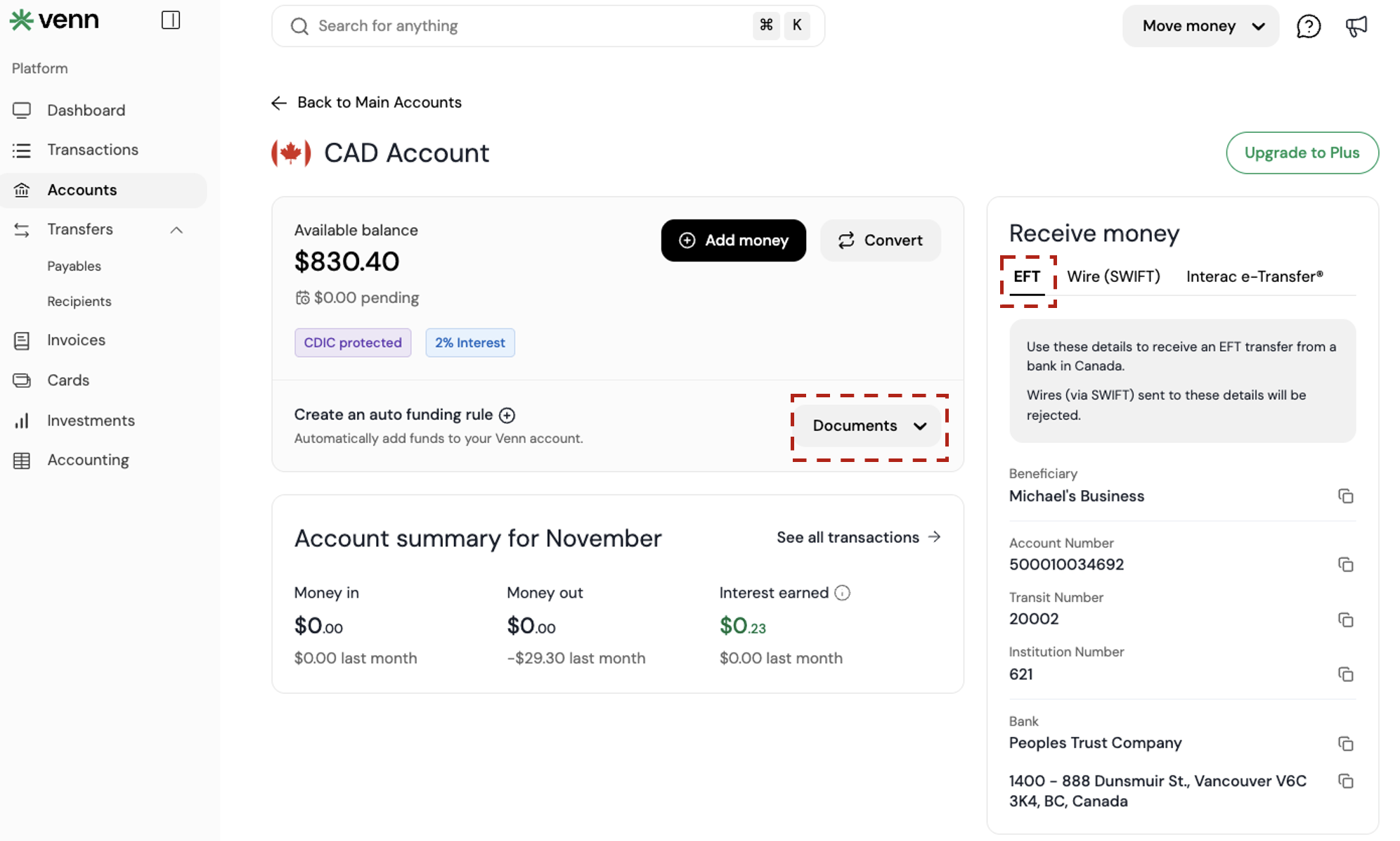
3. Receiving CAD via Electronic Funds Transfer (EFT)
Use this when a sender wants to pay you via EFT to your CAD account.
Steps:
- Go to Venn Dashboards
- Select CAD Account
- Select EFT
- Select Documents
- Select Download account details [PDF] and share your EFT account payment details
Typical timing: Within 1 business day (excluding weekends and public holidays).
Important: EFT and Wire (SWIFT) are different. Sending a wire instead of an EFT will cause the transfer to fail.
4. Receiving CAD via Wire (SWIFT)
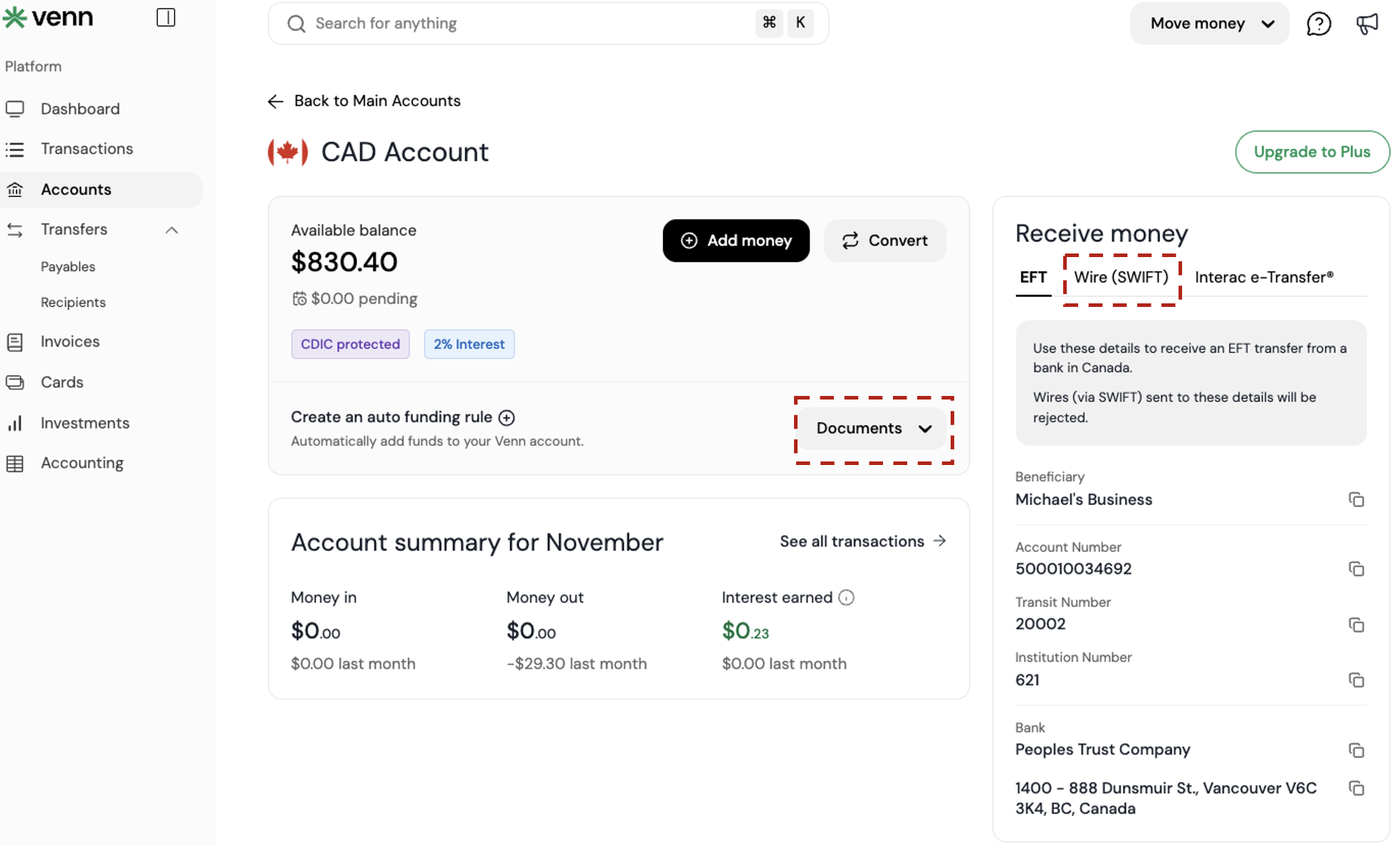
Use this when the sender can only send a wire, or they are sending from a system that defaults to SWIFT.
Steps
- Go to Venn Dashboards
- Select CAD Account
- Select Wire (SWIFT)
- Select Documents
- Select Download account details [PDF] and share your Wire (SWIFT) account payment details
Typical timing: Within 1 business day (excluding weekends and public holidays).
5. Receiving USD via ACH
Use this for USD payments from U.S. senders using ACH rails.
Steps:
- Go to Venn Dashboards
- Select USD Account
- Select ACH
- Select Documents
- Select Download account details [PDF] and share your ACH account payment details
Typical timing: Within 1 business day (excluding weekends and public holidays).
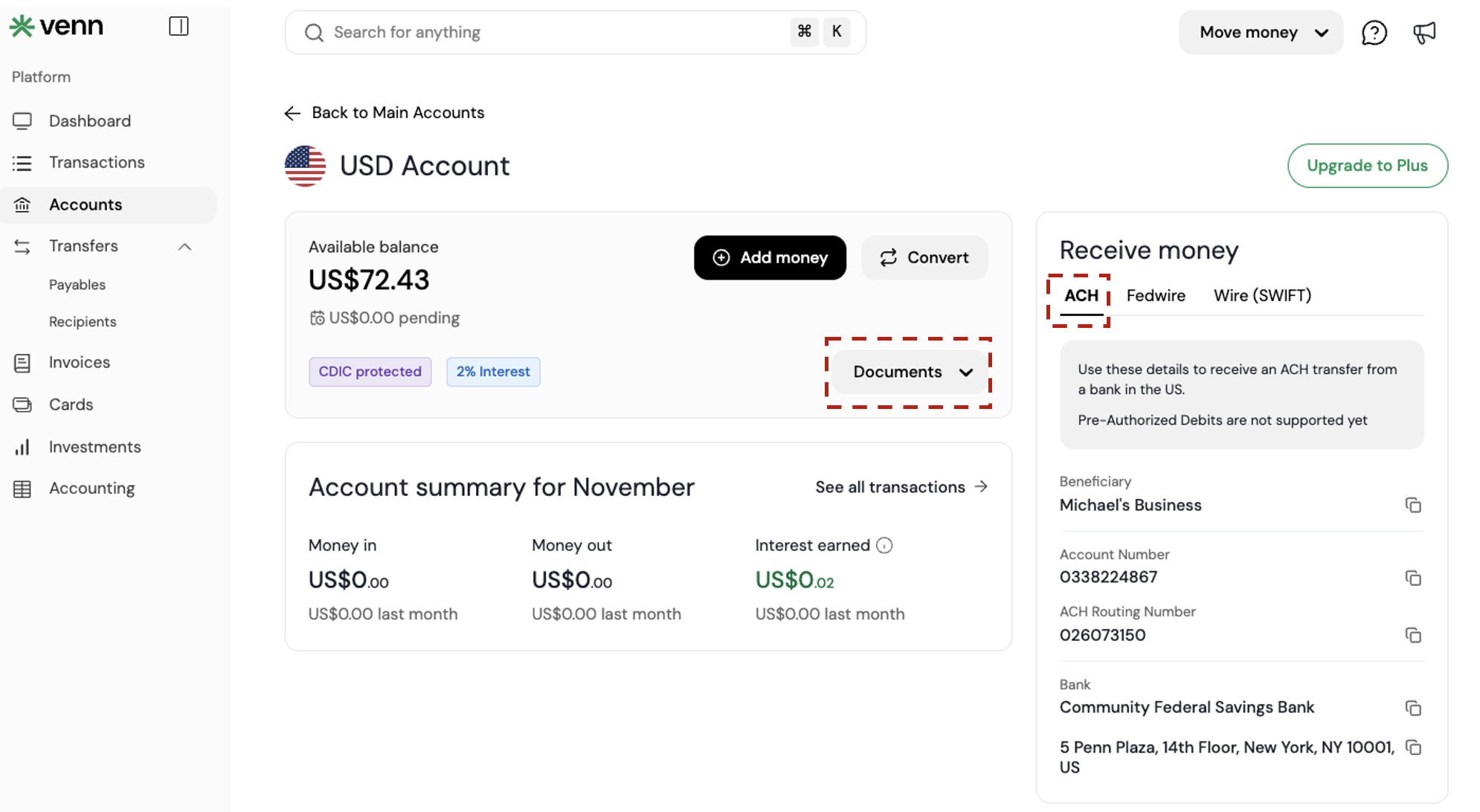
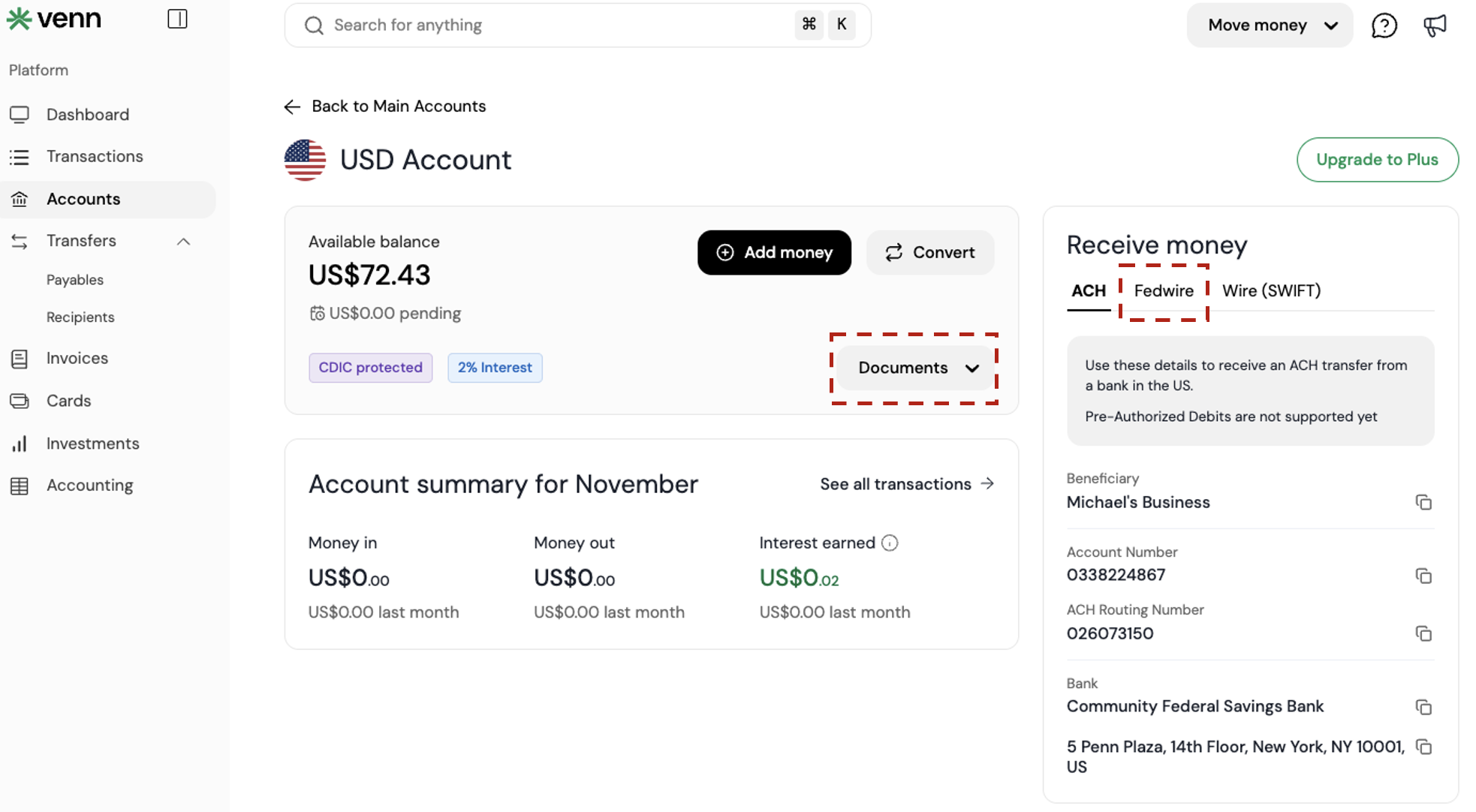
6. Receiving USD via Fedwire
Use this when the sender specifically uses Fedwire.
Steps
- Go to Venn Dashboards
- Select USD Account
- Select Fedwire
- Select Documents
- Select Download account details [PDF] and share your Fedwire account payment details
Typical timing: Within 1 business day (excluding weekends and public holidays).
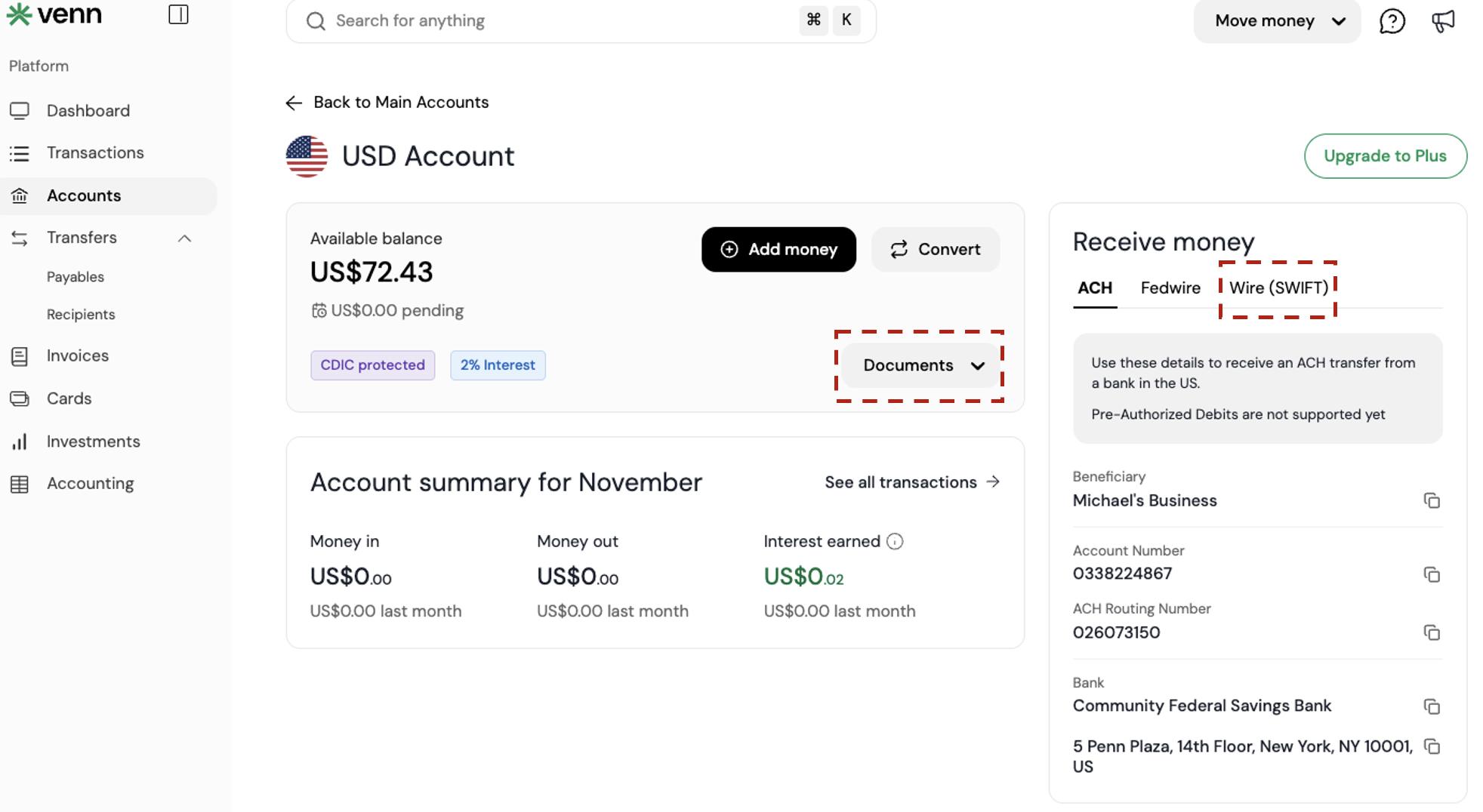
7. Receive USD using Wire (SWIFT)
Use this when the sender is using SWIFT wire for USD.
Steps:
- Go to Venn Dashboards
- Select USD Account
- Select Wire (SWIFT)
- Select Documents
- Select Download account details [PDF] and share your Wire (SWIFT) account payment details
Typical timing: Within 1 business day (excluding weekends and public holidays).
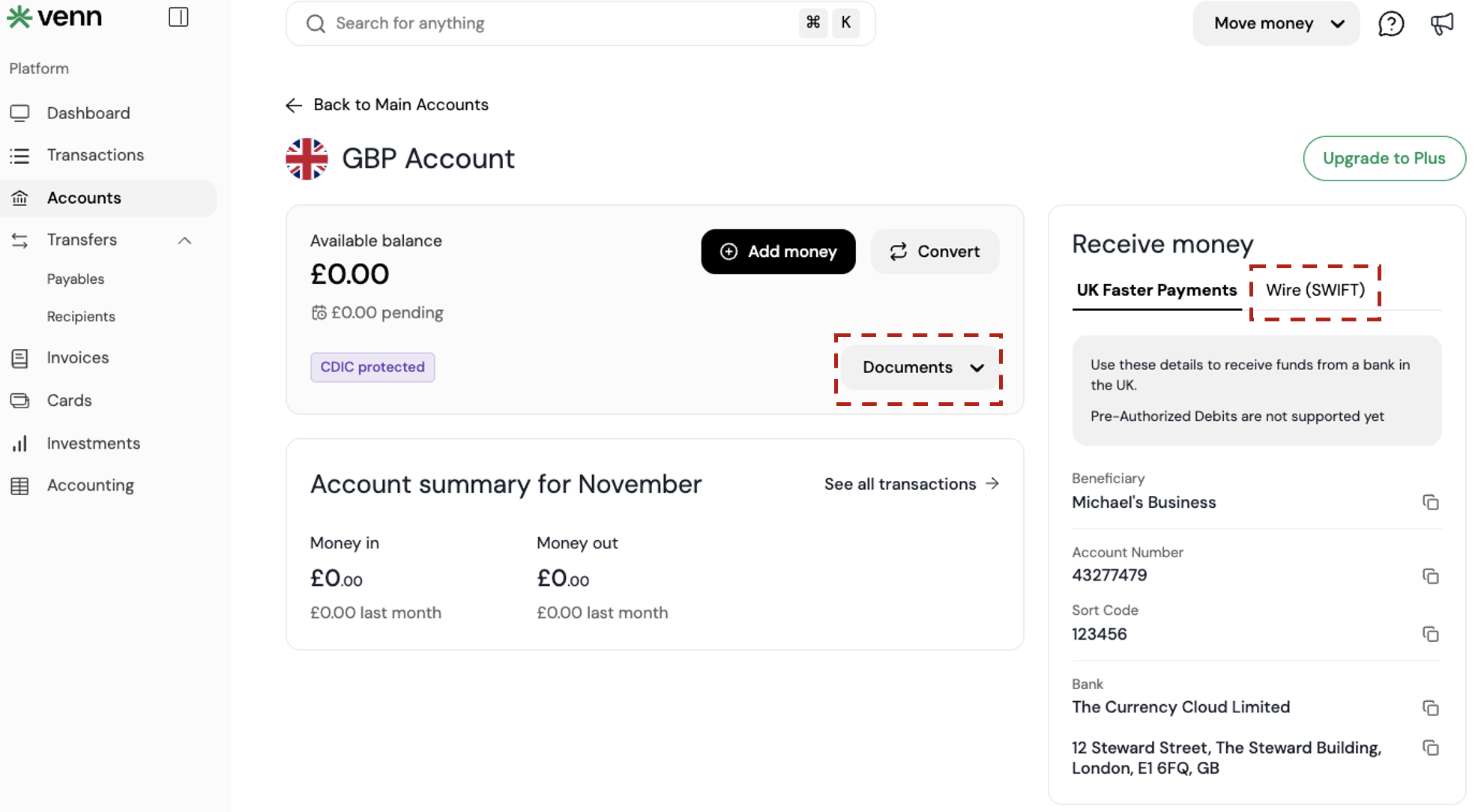
9. Receive GBP using Wire (SWIFT)
Use this when a sender is using SWIFT to send GBP.
Steps:
- Go to Venn Dashboards
- Select GBP Account
- Select Wire (SWIFT)
- Select Documents
- Select Download account details [PDF] and share your Wire (SWIFT) account payment details
Typical timing: Within 1 business day (excluding weekends and public holidays).
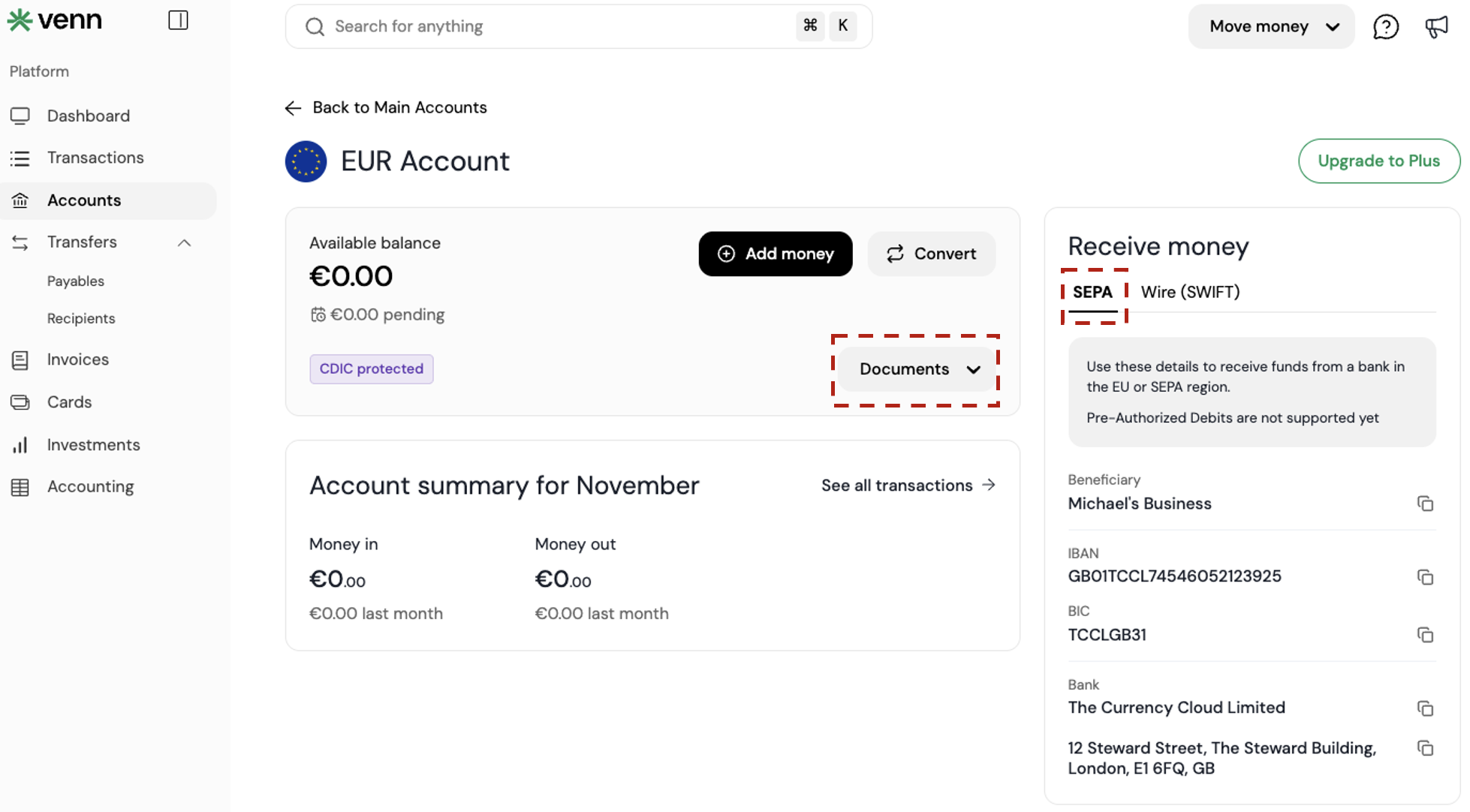
10. Receive EUR using SEPA
Use this for EUR transfers using SEPA rails.
Steps:
- Go to Venn Dashboards
- Select EUR Account
- Select SEPA
- Select Documents
- Select Download account details [PDF] and share your EUR account payment details
Typical timing: Within 1 business day (excluding weekends and public holidays).
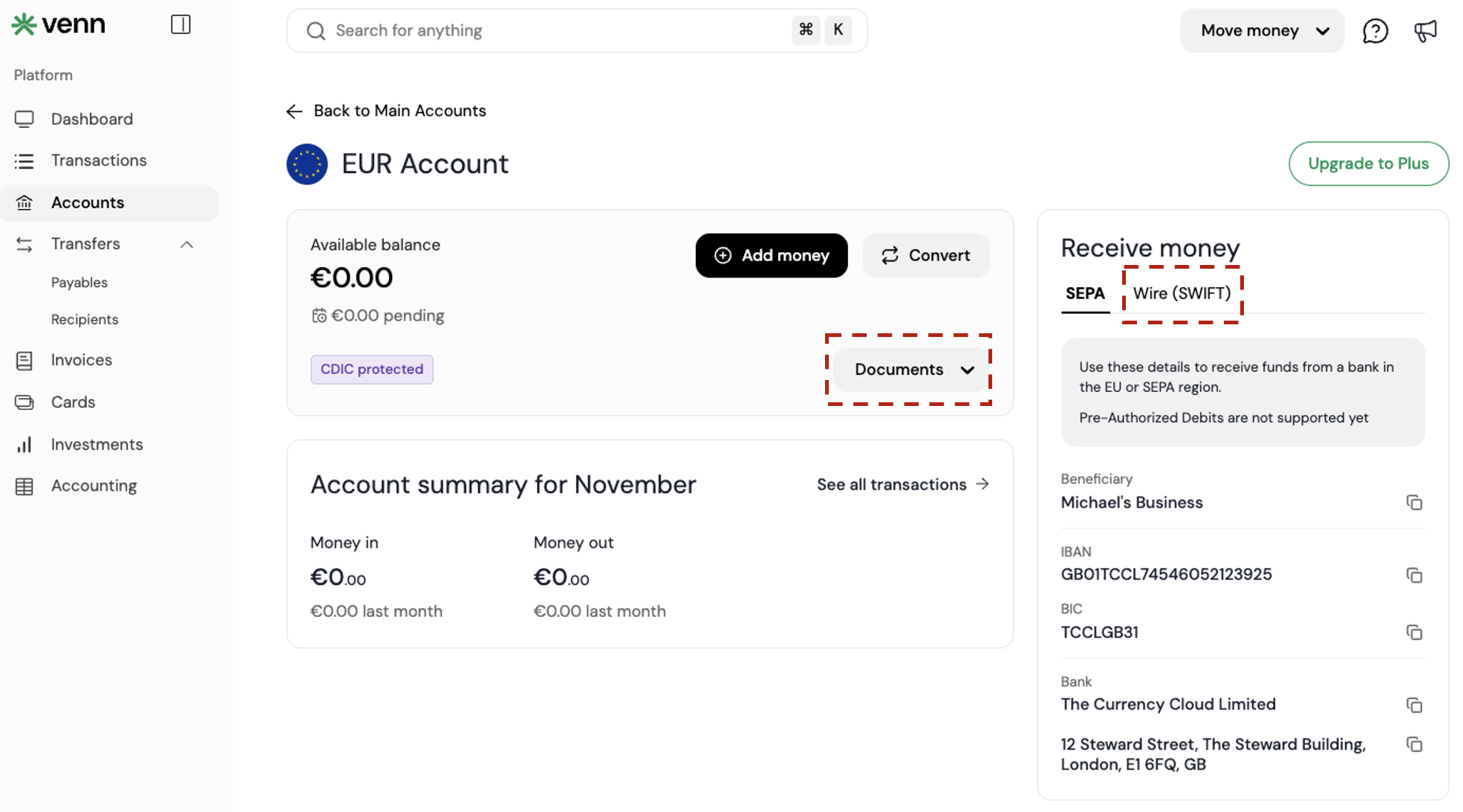
11. Receive EUR using Wire (SWIFT)
Use this when a sender is using SWIFT to send EUR.
Steps:
- Go to Venn Dashboards
- Select EUR Account
- Select Wire (SWIFT)
- Select Documents
- Select Download account details [PDF] and share your Wire (SWIFT) account payment details
Typical timing: Within 1 business day (excluding weekends and public holidays).
Common failure point: using the wrong rail
Most “missing money” issues come down to one thing: someone sent the transfer using the wrong method.
- CAD EFT details cannot receive a CAD wire
- USD ACH details cannot receive a USD Fedwire
- Local rails (Interac, SEPA, UK Faster Payments) are not the same as SWIFT wires
If a transfer fails, the first question should be: Which rail did the sender actually use?
Ready to simplify your tax compliance and financial operations? Get started with Venn today!
Frequently Asked Questions (FAQ)
Q: Do senders need to be Venn customers to pay me?
A: No. Anyone can send funds to your Venn account as long as they use the correct payment method and the account details you provide.
Q: Can I receive multiple currencies at the same time?
A: Yes. Venn supports separate accounts for CAD, USD, GBP, and EUR. Each currency has its own local and wire options, and funds remain in the currency they’re received in.
Q: Does Venn hold or delay incoming funds once they arrive?
A: No. As soon as funds successfully reach Venn, they are credited to your account immediately. Any delay happens before the transfer arrives, typically at the sending bank or intermediary stage.
Q: What’s the best method for time-sensitive CAD funding?
A: Interac e-Transfer® with Auto Deposit is usually the fastest option for CAD, especially for same-day or after-hours funding.
This publication is provided for general information purposes and does not constitute legal, tax or other professional advice from Venn Software Inc or its subsidiaries and its affiliates, and it is not intended as a substitute for obtaining advice from a financial advisor or any other professional. We make no representations, warranties or guarantees, whether expressed or implied, that the content in the publication is accurate, complete or up to date.

Venn is all-in-one business banking built for Canada
From free local CAD/USD accounts and team cards to the cheapest FX and global payments—Venn gives Canadian businesses everything they need to move money smarter. Join 15,000+ businesses today.
Frequently asked questions
Everything you need to know about the product and billing.
Join 15,000+ businesses banking with Venn today
Streamline your business banking and save on your spend and transfers today
No personal credit check or guarantee.